
Salesforce introduced a new resource type called Collection Filter Criteria in the Winter '27 release. At first glance, it might look similar to two existing Flow elements: Collection Filter and Collection Sort. After all, it allows you to filter and sort records based on specific criteria.
However, Collection Filter Criteria works differently from these elements and offers some interesting possibilities. Although it might not be useful in every scenario, it can simplify your Flows and reduce the number of elements needed in certain cases.
In this post, we'll explore how Collection Filter Criteria works, how it differs from Collection Filter and Collection Sort, and when you should consider using it in your Flows.
How to Use Collection Filter Criteria
Unlike Collection Filter and Collection Sort, Collection Filter Criteria is a resource type, not a Flow element. This means you won't find it in the list of available elements or see it directly on the Flow canvas. Instead, you can create it from the Manager tab by clicking New Resource and selecting Collection Filter Criteria as the resource type.
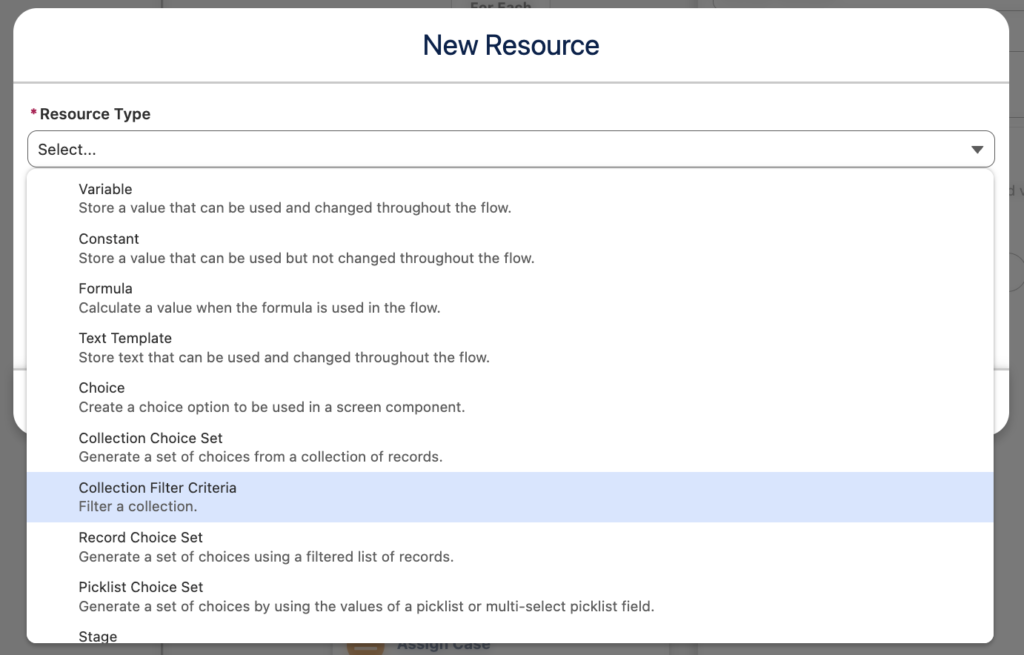
The resource allows you to define filtering and sorting criteria for an existing collection. You can then reference it in an Assignment element to retrieve the matching record.
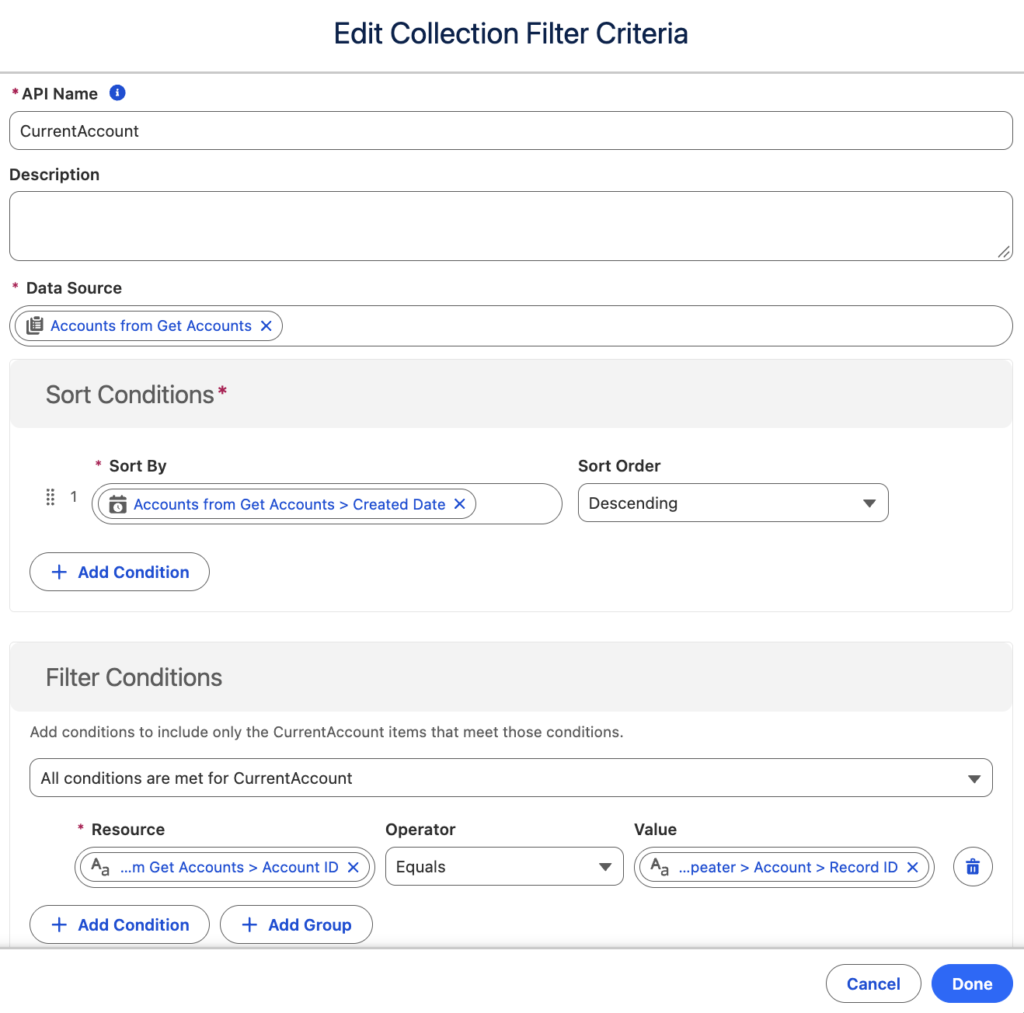
However, there is an important limitation: Collection Filter Criteria currently returns only the first matching record, not a collection of records. Even if multiple records match your criteria, the resource returns a single record based on the configured filters and sorting order.
This behavior has been confirmed by the Salesforce product team as a current limitation. Therefore, Collection Filter Criteria is not a direct replacement for the existing Collection Filter element, which returns all matching records.
Despite this limitation, the ability to combine filtering and sorting to retrieve a specific record can be useful in scenarios where you only need one record from a collection.
Example
If you follow Salesforce Flow best practices and avoid using Get Records inside a Loop, you might be familiar with this challenge. In some scenarios, you already have a record collection and need to find a specific record within it. You can use the Collection Filter element to find the matching record, but there's a catch: even if only one record matches your criteria, Collection Filter still returns a record collection.
Since the output is a collection, you cannot directly access the fields of the matching record. Instead, you need to extract the record first, which often means adding another Loop element inside your existing Loop.
For example, consider a Screen Flow that allows users to select multiple Accounts and enter additional information to create multiple Case records at once. The Account lookup component returns only the selected Account IDs and names, not their other fields.
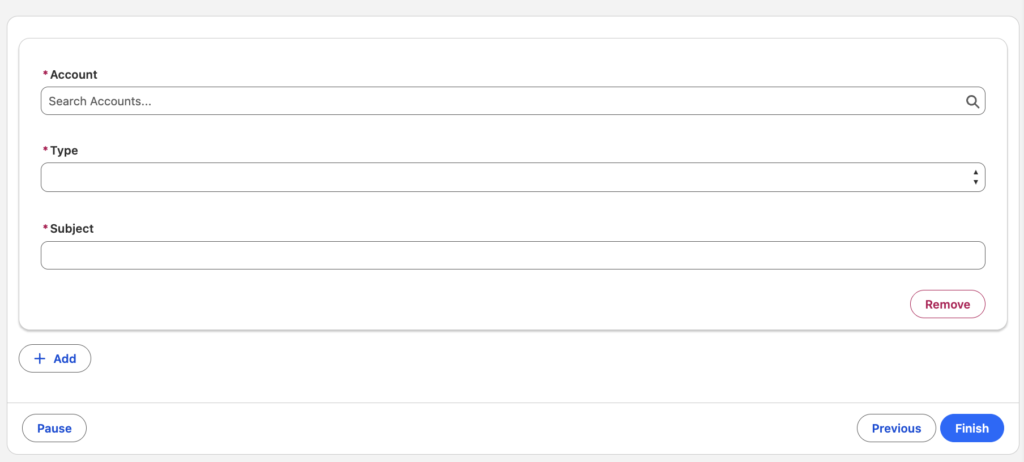
If you need additional fields from the selected Accounts, you can retrieve all the Account records using a single Get Records element outside the Loop. Then, as you iterate through the repeater items, you need to find the corresponding record in the collection.
Previously, you could use Collection Filter to find the matching Account, but because it returns a collection, you would need an additional Loop to extract the record and access its fields.
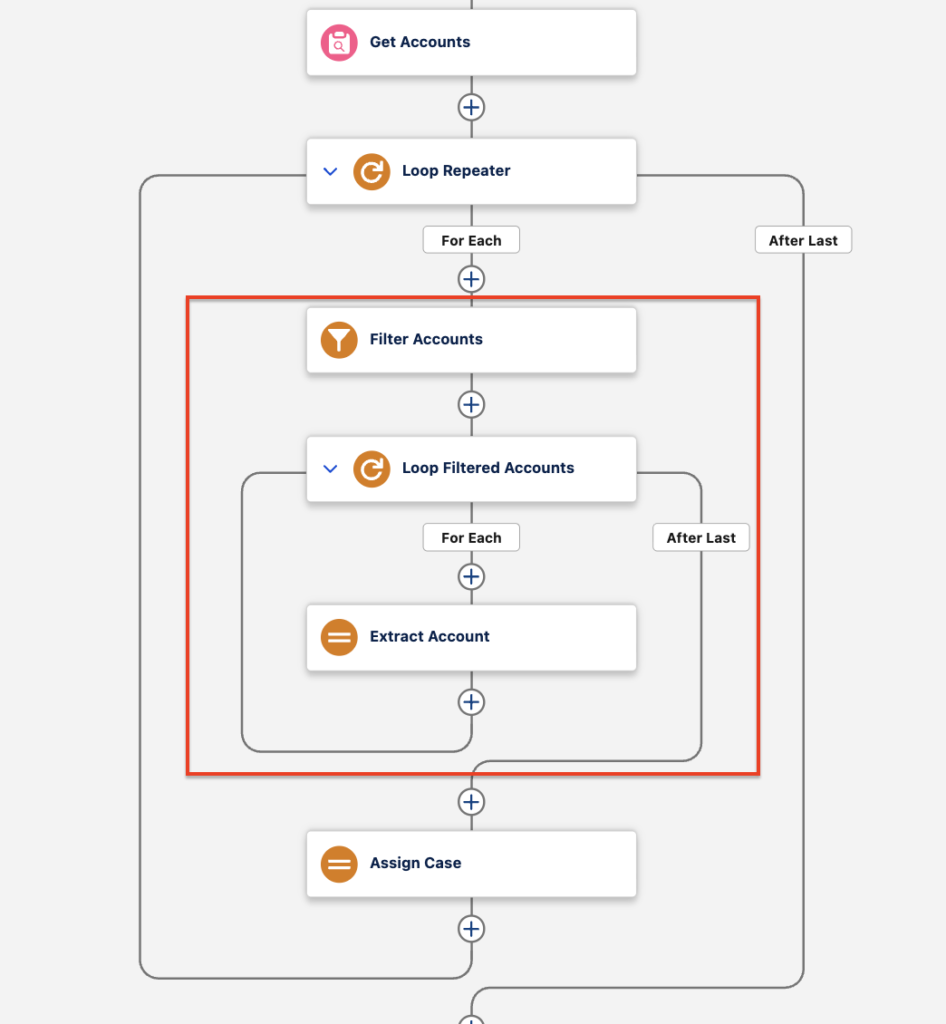
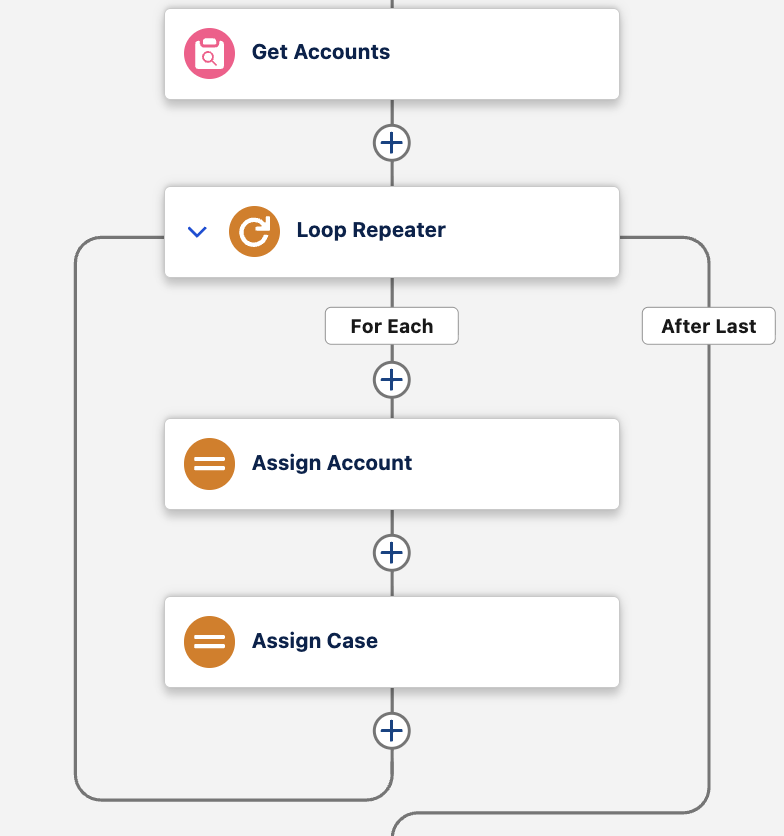
This is where Collection Filter Criteria becomes particularly useful. Since it returns a single matching record, you can access its fields directly without adding another Loop element.
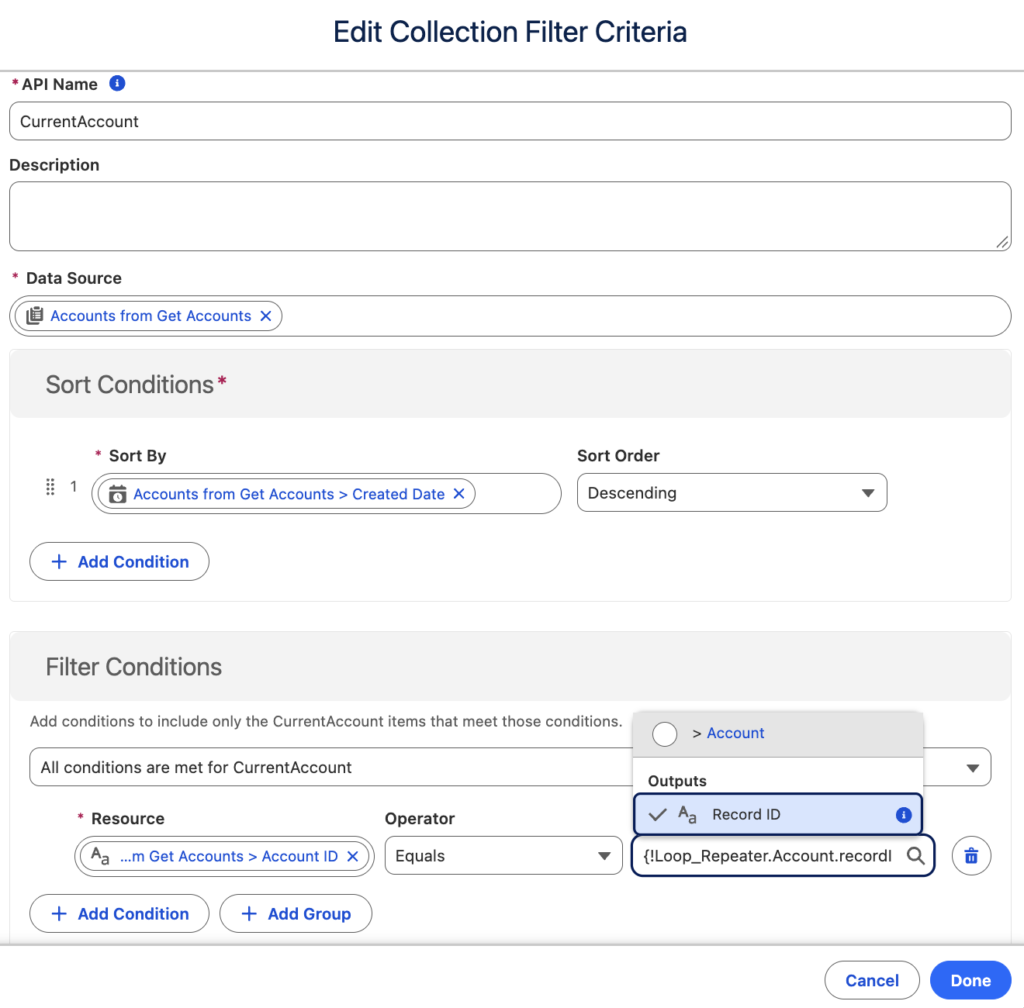
You no longer need additional Loop or Assignment elements. Simply use the output of Collection Filter Criteria and continue with your Flow.
Conclusion
Collection Filter Criteria is a useful addition to Salesforce Flow in the Winter '27 release. Although it currently returns only the first matching record, this limitation doesn't make it any less valuable in scenarios where you need to find a specific record within a collection. By combining filtering and sorting in a single resource, you can simplify your Flows, eliminate unnecessary Loop and Assignment elements, and keep your canvas cleaner.
Salesforce also claims that it is over 200 times faster than filtering records using Loop elements. It also supports filtering through child relationships, including Apex-defined data types, making it useful for more complex scenarios.
This new resource type doesn't replace the existing Collection Filter and Collection Sort elements, but it provides another option for working with collections more efficiently. Understanding when to use each approach can help you build cleaner, more maintainable, and better-performing Flows.
Leave a Reply