

If you work with Salesforce Flow regularly, you probably spend a lot of time navigating to Setup, searching for Flows, and managing their versions. Flow Search is a free Chrome extension that makes these everyday tasks faster and easier. You can search Flows, access recently modified Flows, activate the latest version, and delete old versions. All without navigating through Salesforce Setup.

1. Find Any Flow in Seconds
Flow Search gives you quick access to all Flows in your Salesforce org directly from the Chrome toolbar.
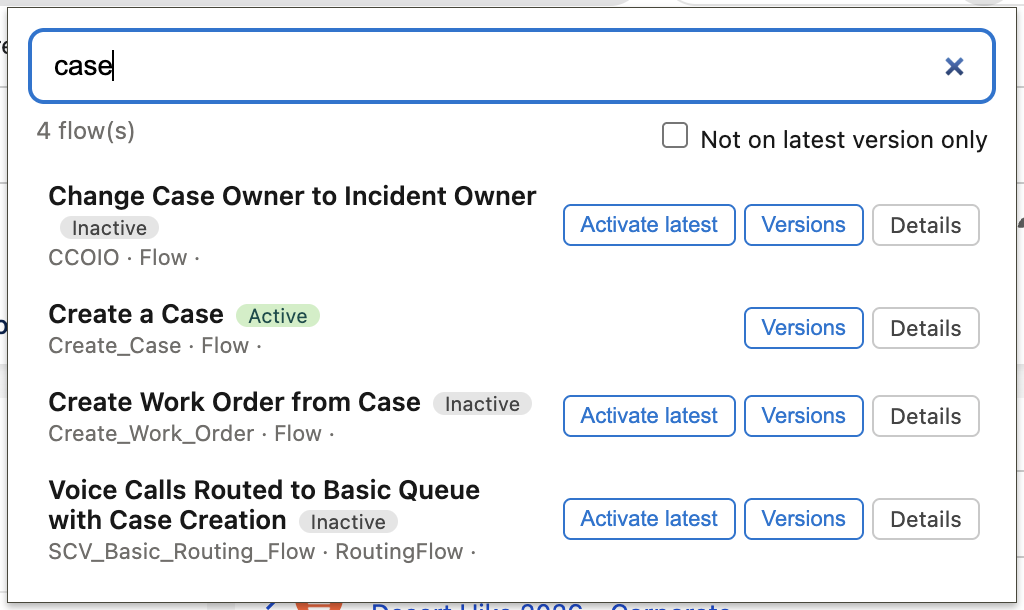
Open the extension from any Salesforce page and start typing to search by Flow Label or API Name. The search also supports multiple words, making it easier to find exactly what you're looking for.
By default, the extension displays your most recently modified Flows first, so you can quickly return to what you were working on.
You can also open any Flow directly in Flow Builder or navigate to its Setup detail page.
2. Identify and Activate Outdated Flow Versions
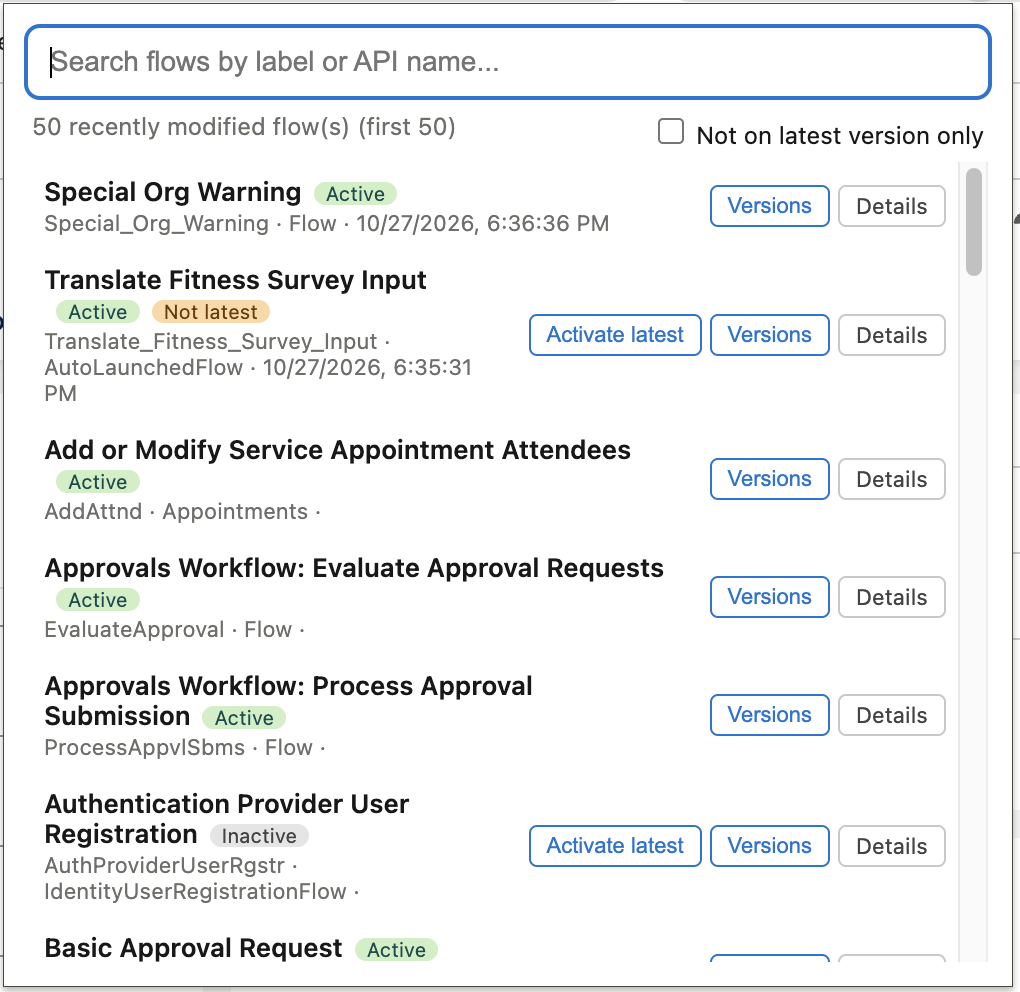
Sometimes, the active version of a Flow isn't the latest version.
Flow Search makes these Flows easy to identify with a "Not latest" badge. You can also filter the list to display only Flows where the active version is outdated.
When needed, you can activate the latest version directly from the extension, with a confirmation step to prevent accidental changes.
3. Delete Old Flow Versions
Salesforce allows up to 50 versions per Flow. If you frequently update Flows, reaching this limit can become frustrating.
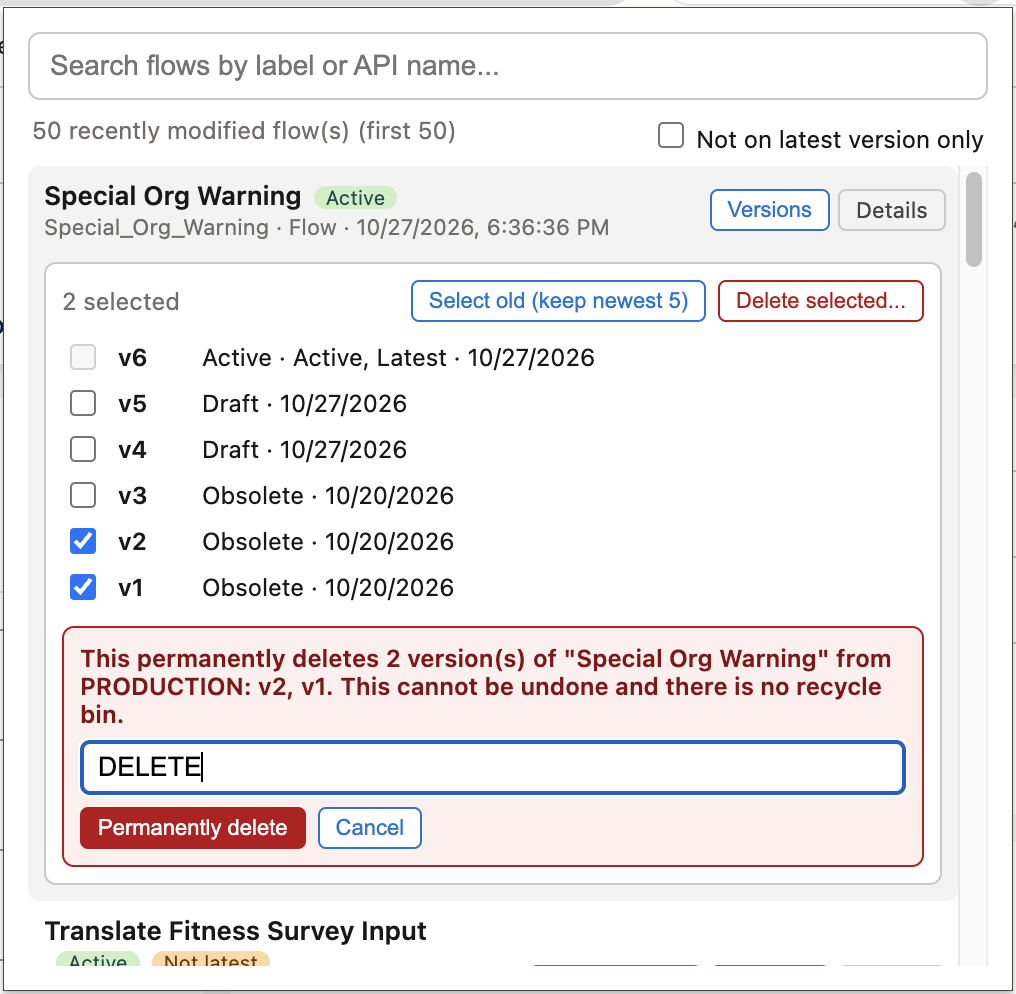
With Flow Search, you can open the Versions panel and select multiple versions for deletion.
There's also a convenient "Select old (keep newest 5)" option that automatically selects older versions while preserving the five newest ones.
To prevent accidental deletion, the extension requires a two-step confirmation, including typing DELETE. You cannot select the active version for deletion.
4. Works Across Salesforce Orgs
Flow Search works in both Production and Sandbox environments, using your existing Salesforce session.
It is for Salesforce Admins and Consultants with the necessary permissions (Modify All Data or Modify Metadata).
The extension communicates only with your Salesforce org. It doesn't collect or store your data or send it to third-party services.
Get Started with Flow Search
If you frequently work with Salesforce Flows, Flow Search can save you time on everyday tasks, from finding a Flow to cleaning up old versions.
Install Flow Search from the Chrome Web Store and manage your Salesforce Flows without constantly navigating through Setup.
Leave a Reply