
Flow Orchestration is Free Now (No Add-On Required)
Big news for the Salesforce Admin community: Salesforce made Flow Orchestration free.

Big news for the Salesforce Admin community: Salesforce made Flow Orchestration free.

Screen Flow Data Table is no longer view only. Spring ’26 adds inline editing and sorting so users can update records directly in the table at runtime.

Salesforce has stopped selling Heroku Enterprise sales contracts to new customers. This new decision puts the enterprise contract offering into an End of Sale (EOS) state for new customers.
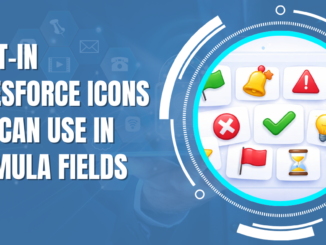
Salesforce includes a set of classic, publicly accessible images that are available in every org. Using these built-in Salesforce icons, you can add visual indicators to formula fields, list views, reports, and flows in seconds.

In this post, you'll see a simple workaround to add a letterhead to emails sent from Flow.

A favicon is the small icon that appears in the browser tab next to your site name. It also shows up in bookmarks and saved shortcuts. It's a tiny detail, but it makes your Experience site look more professional.

In the Spring '26 release, Salesforce introduced a new standardized URL format to launch Screen Flows properly in Lightning Experience and Lightning console apps.

In this post, you'll find a Flow action that generates PDF files and saves them as Salesforce Files (Content Version), optionally attaching them to Salesforce records.
In the Spring '26 release, Salesforce has finally made it possible to trigger a record-triggered flow when a file is uploaded.

Salesforce has introduced a new, useful screen component called Kanban Board in the Spring '26 release.
Copyright © 2026 | SalesforceTime.com