
Agentforce is Salesforce's AI-powered platform for building and using autonomous agents across the Salesforce ecosystem. It helps organizations bring AI into everyday business processes and experiences. Agentforce is not just for your users or customers anymore. Salesforce has introduced a new feature called Setup with Agentforce to help Salesforce admins inside Setup.
In this post, you will learn what Setup with Agentforce is, how it works, and what you can do with it.
Introduction to Setup with Agentforce
Salesforce admins are responsible for configuring new features, building customizations, maintaining security, and keeping their org running smoothly. Many of these tasks require navigating through multiple Setup pages and completing several steps along the way.
Setup with Agentforce simplifies this experience by letting admins collaborate with an AI agent directly in Salesforce Setup. You can use natural language to complete supported tasks, find information, troubleshoot issues, and get guidance based on Salesforce best practices. Instead of manually navigating through different Setup pages, you can simply have a conversation with the agent and let it help you get the job done.
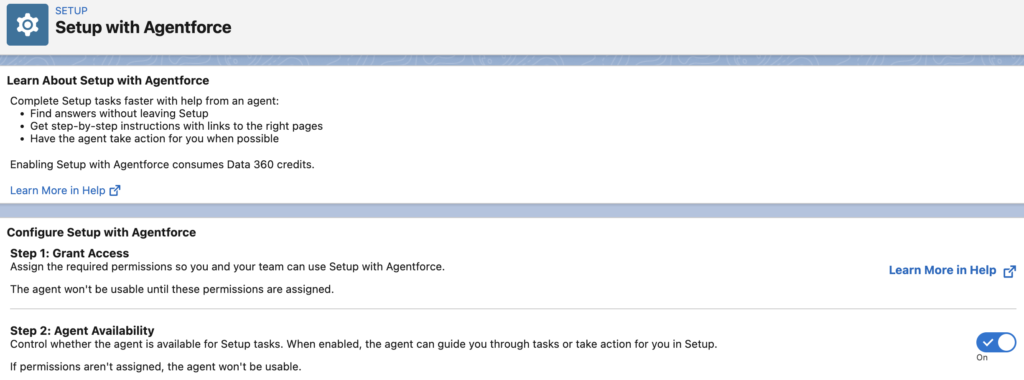
How to Enable Setup with Agentforce
To turn on Setup with Agentforce, first make sure Data Cloud is enabled in your org. Then, search for Setup with Agentforce in Salesforce Setup and enable the feature. Finally, assign the required permissions (Use Setup with Agentforce) to yourself and any other admins who need access.
How to Use Setup with Agentforce
Using Setup with Agentforce is simple. You can chat with the agent using natural language, and it brings the relevant Setup information and tools directly to you. It reduces the number of clicks and pages you need to navigate.
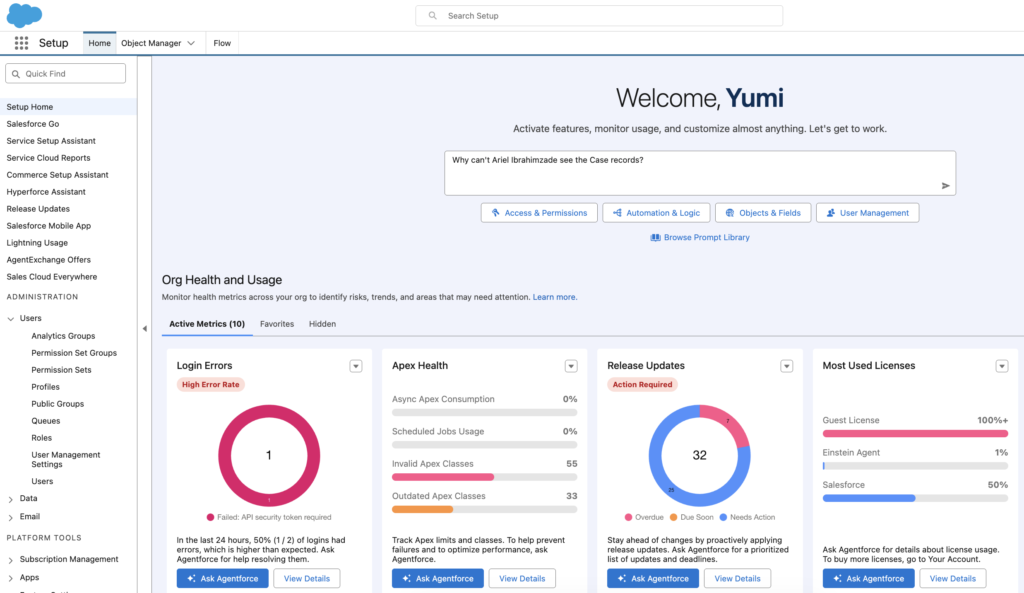
Go to Setup Home or click the Ask Setup Agent button from any Setup page. Then, enter your question or describe the task you want to complete.
For example, you can ask, “Why can't Ariel Ibrahimzade see the Case records?”
You can also start with one of the suggested conversation prompts and continue from there.
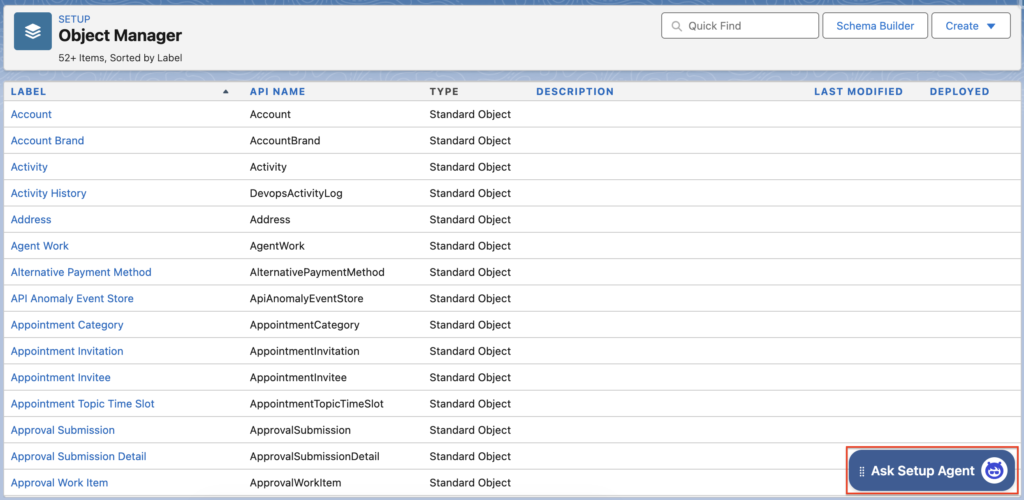
After enabling this feature, Ask Setup Agent buttin appears on every setup page.
Depending on what you ask, the agent can also display records, Salesforce documentation, and other relevant components directly in the conversation. You can expand these components to explore the information in more detail.
When you create or edit something in your org, it can also show the changes directly within the flow of work. The agent can then recommend next steps or direct you to the relevant Setup pages when you need further configuration.
What You Can Do with Setup with Agentforce
Setup with Agentforce can help with a variety of common admin tasks. You can ask questions about your org, troubleshoot user access and configuration issues, find relevant Salesforce documentation, and get guidance on how to complete Setup tasks.
The agent can also make supported configuration changes. Such as:
- Creating custom objects and fields
- Managing users and permissions
- Working with sharing settings
- Creating and managing flows
- Building custom report types
- Building Lightning pages
- Creating or updating formulas
It can also recommend next steps and take you directly to the relevant Setup page when needed.
Let's ask it to create a new custom object with a few fields. Here is the prompt:
I need to track periodic reviews for our customer accounts. Can you create a custom object called Account Review, relate it to the Account object, and add fields for the review date, review type, account health, annual revenue reviewed, next review date, review notes, and whether follow-up is required?

For Review Type, use Quarterly, Annual, Renewal, and Risk. For Account Health, use Good, Needs Attention, and At Risk.
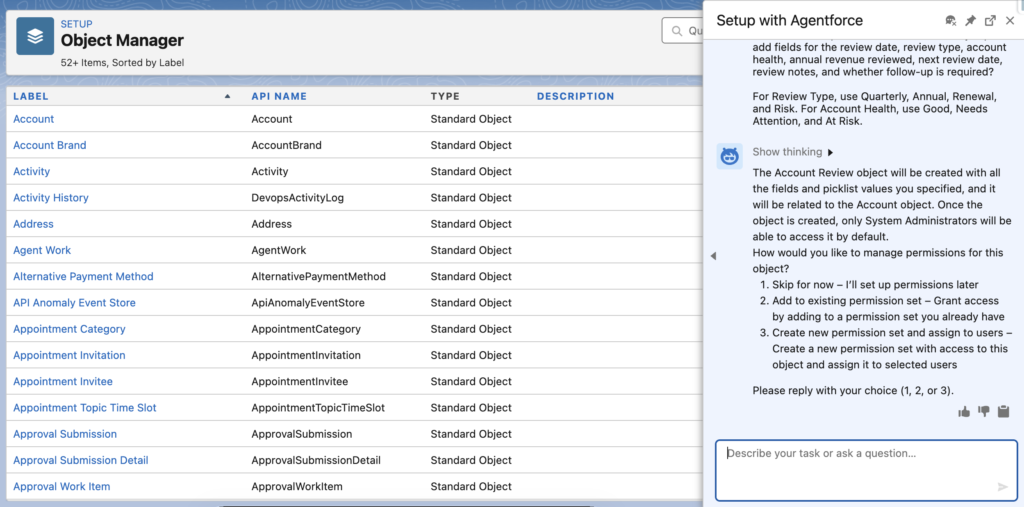
As you can see, Setup with Agentforce proposes a data model for the new object according to the request. Importantly, it doesn’t create the object and fields immediately. Instead, it asks you to review the solution and confirm it before making any changes to your org.
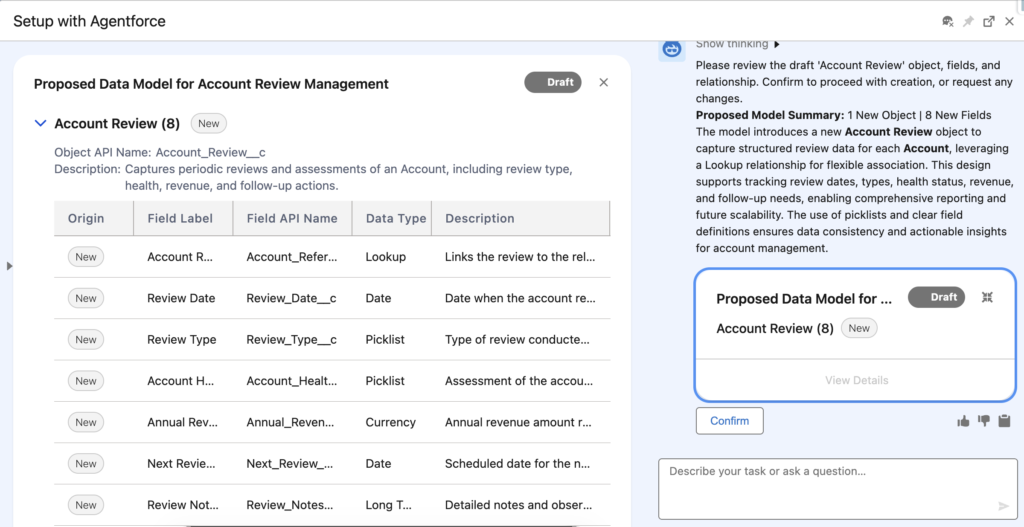
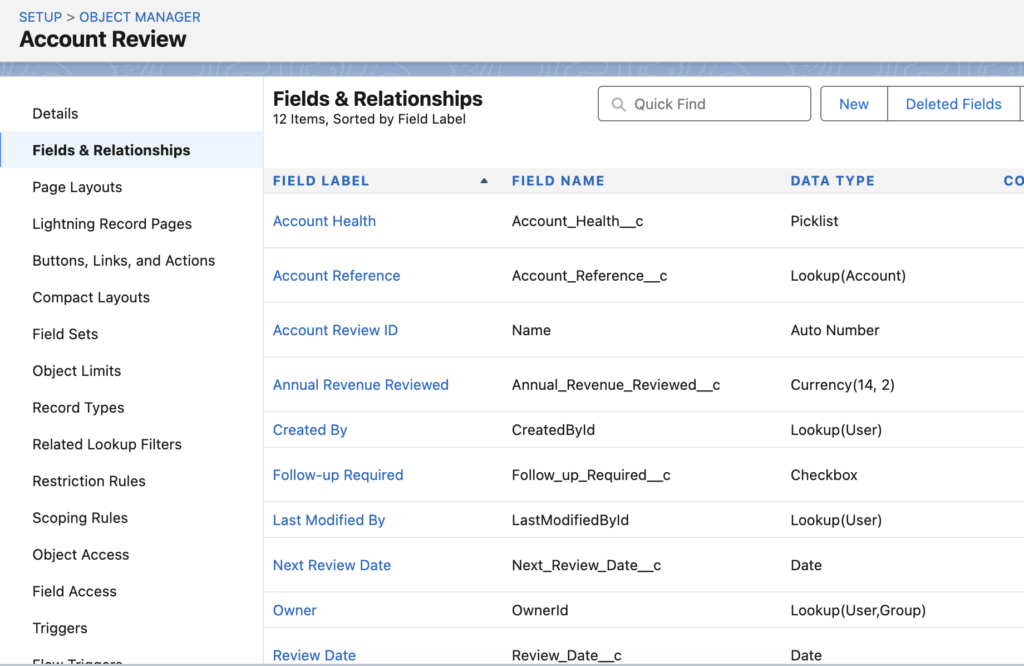
Only after you confirm the proposed solution, Setup with Agentforce proceeds with creating the object.
As you can see, it creates the custom object and all of its fields for you, including descriptions for each one. This is a nice touch, since it helps keep the data model documented from the start without requiring additional manual work.
Final Thoughts
Setup with Agentforce brings AI directly into Salesforce Setup and can make everyday admin work faster and easier. Instead of navigating through multiple pages and figuring out each step manually, you can describe what you need, review the proposed solution, and let the agent help you complete supported tasks.
It is still important to review every suggested change, and keep in mind that enabling Setup with Agentforce consumes Data 360 credits. Even with that consideration, it can significantly reduce the amount of manual work involved in many common admin activities.
Leave a Reply