
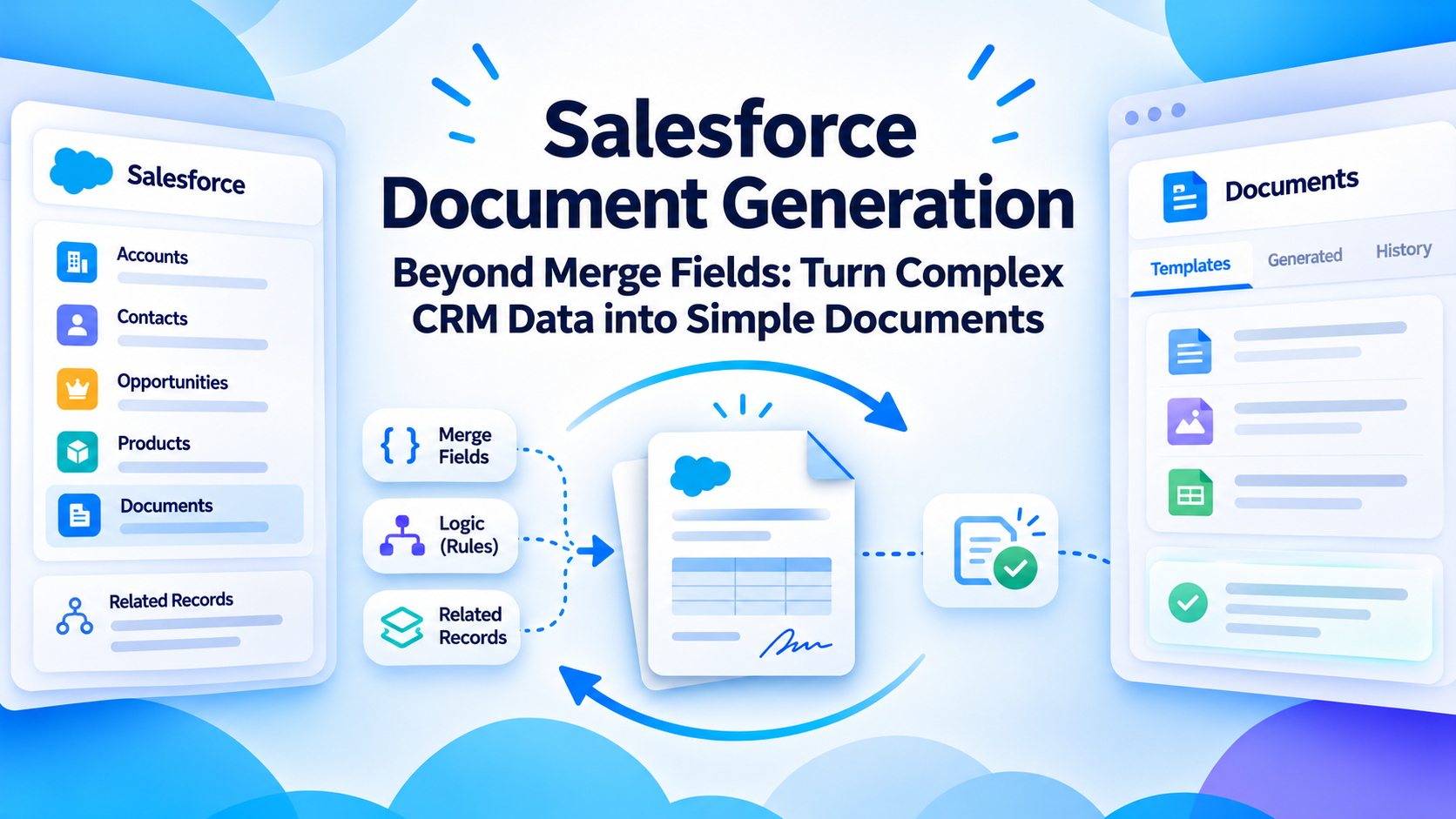
Salesforce is designed to hold structured business data. A customer-facing document is not. An Opportunity might contain the commercial terms. The customer name belongs to the Account. Contacts live on related records. Products, services, discounts, and project scope may sit on line items or custom objects. That structure makes sense inside a CRM, but the customer ultimately needs one proposal, statement of work, agreement, or report they can actually read.
That is where Salesforce document generation becomes more interesting than a basic mail merge. The goal is not simply to replace a name in a Word file. It is to pull the right data from across Salesforce, apply the business logic the document needs, and turn it into one finished document.
Why Generate Documents from Salesforce?
In Short
Salesforce document generation takes structured CRM data and turns it into a finished business document. With a flexible tool, that can include data from multiple Salesforce objects, related records, repeating line items, calculations, and conditional content, all presented as one readable Word or PDF file.
For Admins and Architects, the real value is reducing the gap between the data model and the document people actually use. Instead of asking someone to open several Salesforce records, copy values into Word, calculate totals, and remove sections that do not apply, the template can do much of that work consistently.
- Use Salesforce as the source of truth: Pull customer, deal, contact, product, and custom object data from the records where it already lives.
- Flatten complex relationships: Turn related records and child collections into tables, sections, and narrative content that make sense outside Salesforce.
- Apply document logic: Use conditions, loops, calculations, and JavaScript when a document needs more than simple merge fields.
- Automate repeatable work: Generate documents manually from a record or trigger them through Salesforce Flow when the process calls for it.
The result is a useful separation of concerns: Salesforce can stay relational and highly structured, while the recipient gets a clean, flat document.
Start with the Salesforce Record
A document usually starts with a business event: an Opportunity is ready for a statement of work, a Case needs a customer summary, or a custom record reaches a stage where paperwork should be prepared.
MergeUp can place document generation directly on a Salesforce record page. The user starts in the context they already know, chooses an approved template, and generates the document from the data connected to that record.
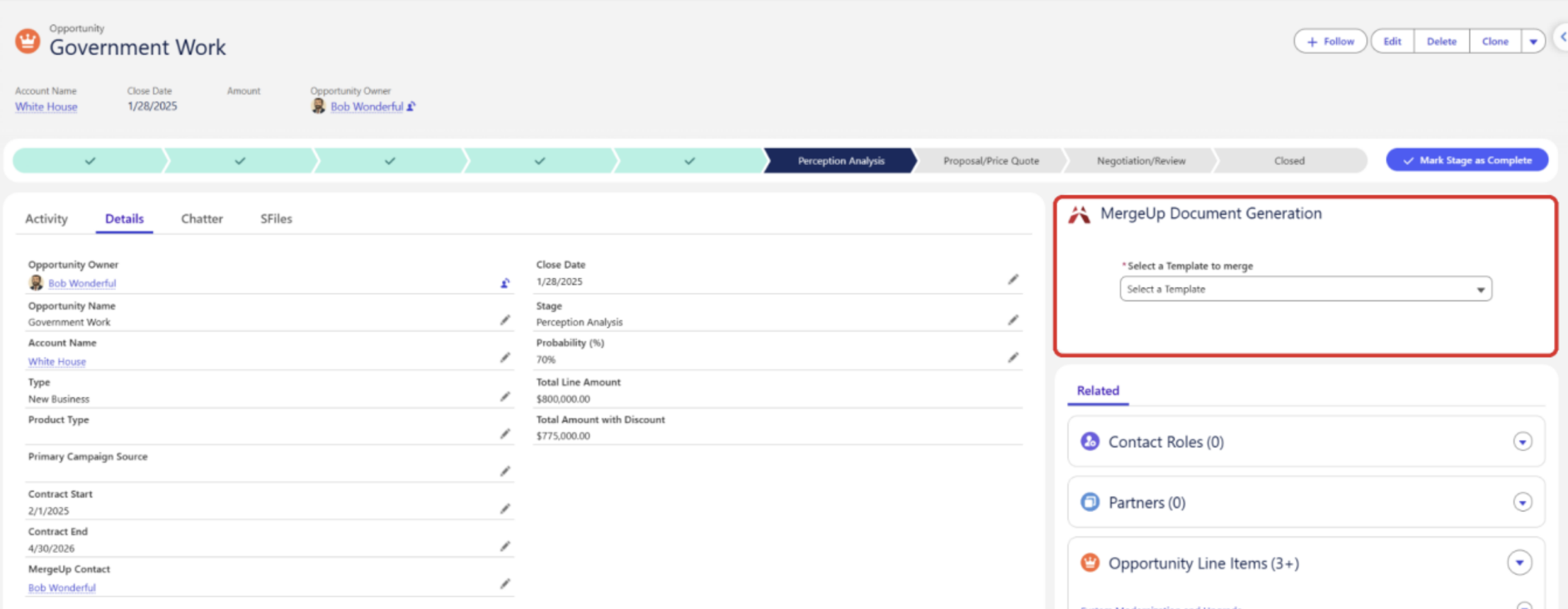
In this example, the Opportunity is called Government Work. Its Salesforce data includes the customer, contract dates, contact, stage, pricing, line items, description, objectives, and other information that will eventually appear in the statement of work.
The important point is that the document does not need all of that information to live directly on the Opportunity itself. The Opportunity is the starting context, not a limitation on where the document can get its data.
Bring Data from Across Salesforce into One Document
A real document rarely maps cleanly to one Salesforce object. A statement of work might need Account information, Opportunity fields, child line items, Contacts, Files, and records from custom objects.
MergeUp uses template data queries to define what information is available to a template. A record query can start from the primary Salesforce record, while child queries can retrieve collections of related records. That lets the template reach beyond the record where generation began.
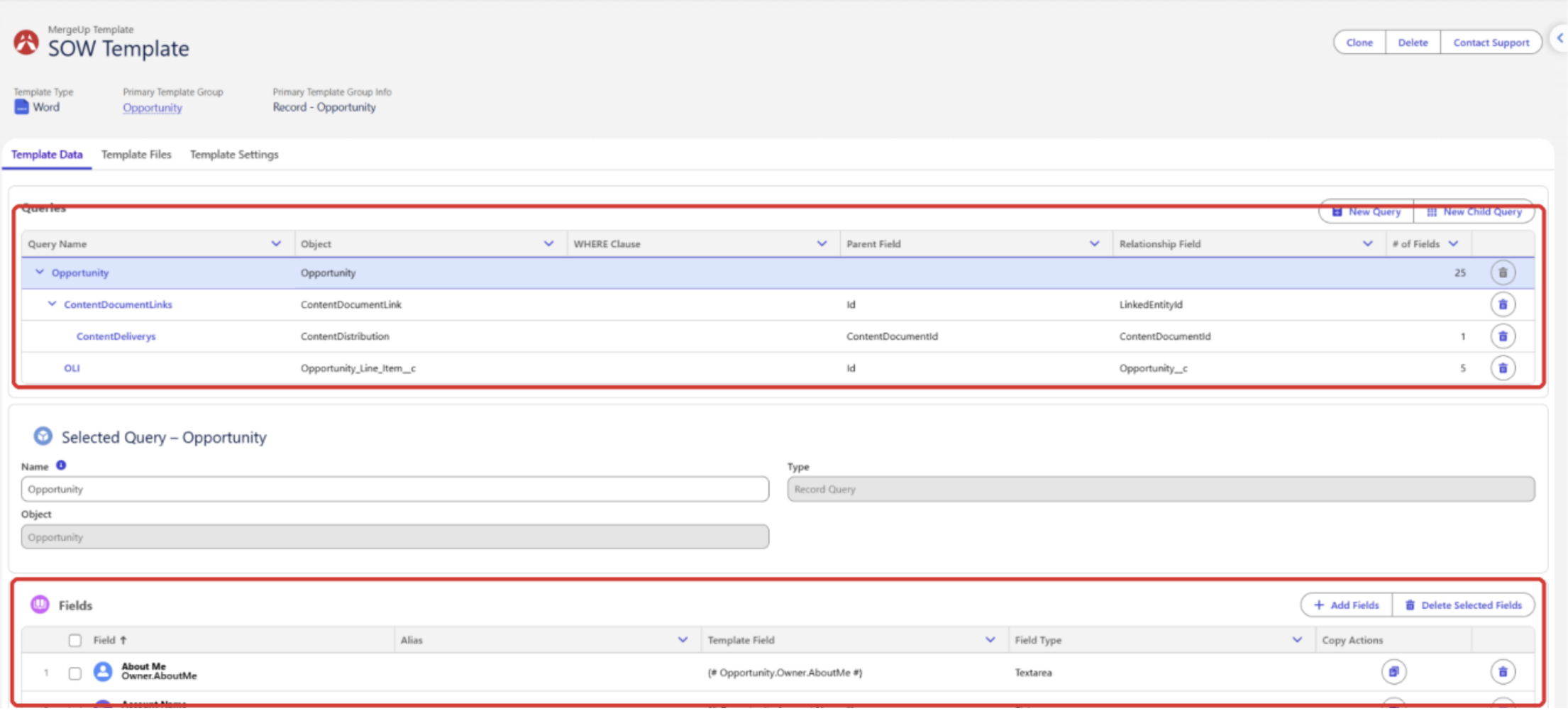
The screenshot shows the Opportunity query along with child data, including Opportunity Line Items. It also exposes selected fields that can be referenced by the template. This is the bridge between Salesforce's relational data model and the final document.
For example, the template can retrieve the Account name through the Opportunity relationship, loop through several line items, and include fields from those related records in a single output file.
The Key Idea
Your Salesforce data can be complex and relational. The finished document does not have to be. The template can collect the pieces and present them as one customer-ready document.
Build the Document Around the Data
Once the required Salesforce data is available, the Word template determines how it should appear. Standard merge fields handle straightforward values such as the Opportunity name, Account name, dates, and contact details.
The same template can also include repeating sections and conditional content. In a statement of work, that could mean creating one scope section for each line item, showing a discount only when one applies, or changing payment language based on the deal terms.
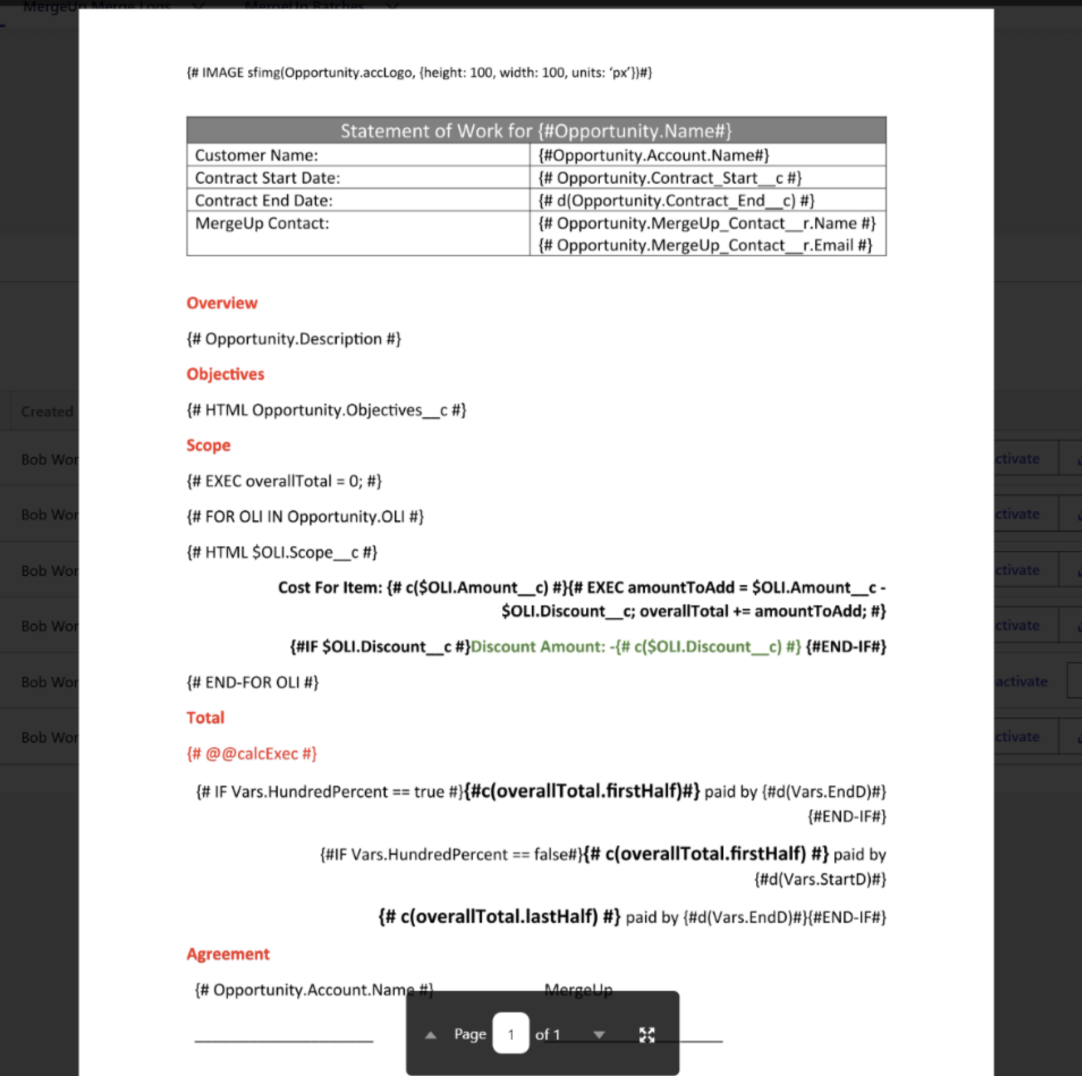
This is where document generation starts to move beyond a traditional mail merge. The template is not only a layout. It is also a set of instructions for turning the Salesforce data into the finished document.
When Merge Fields are Not Enough, Use JavaScript
Sometimes a document needs logic that is awkward to express with simple placeholders. You may need to calculate values, transform dates, filter a set of records, sort results, create reusable variables, or make a decision based on several pieces of Salesforce data.
MergeUp supports JavaScript in template expressions for those more advanced cases. That gives template builders a programmable layer without requiring the person generating the document to run code or manually perform the calculation.
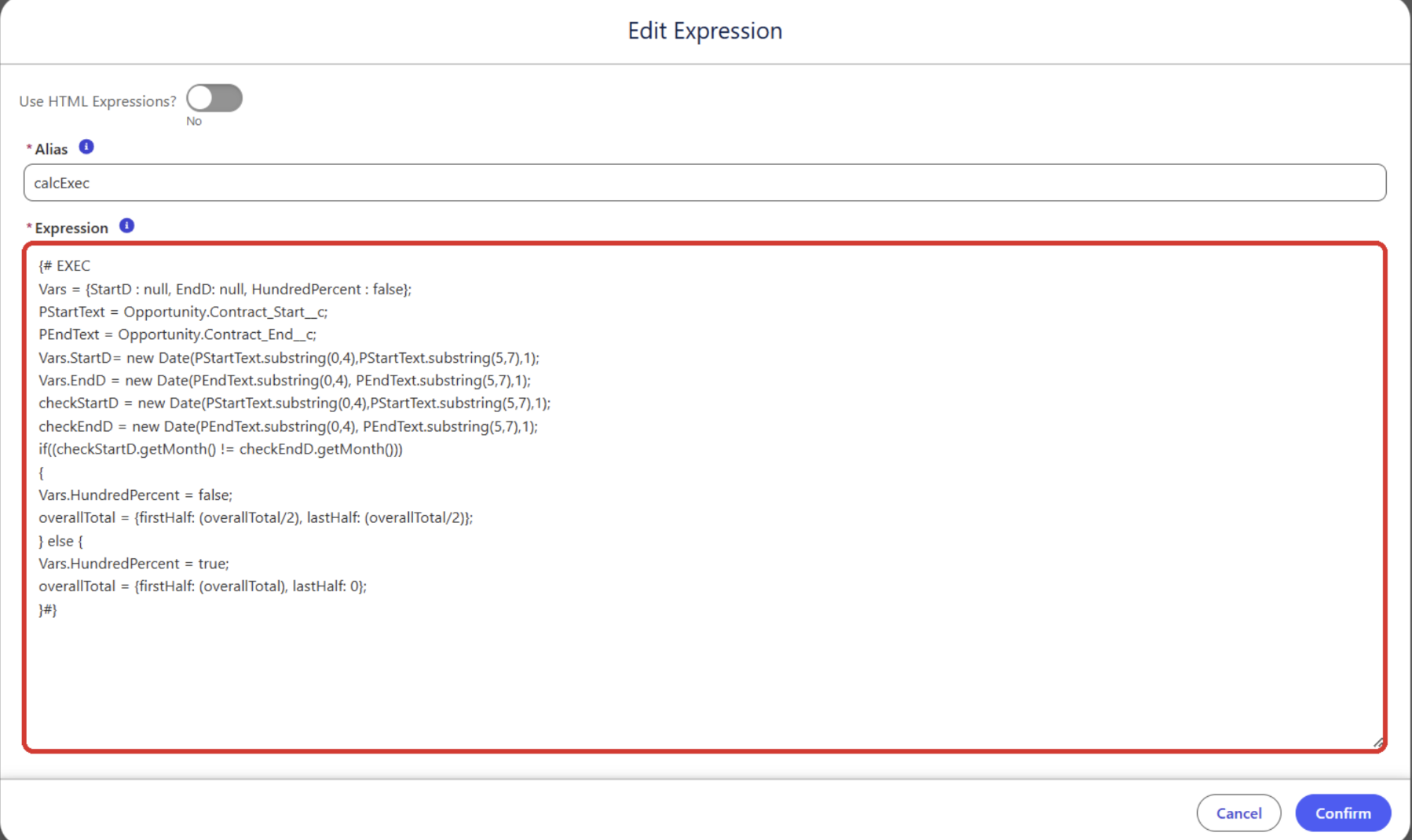
The expression in this example reads the contract start and end dates from the Opportunity, converts those values into JavaScript dates, compares them, and then determines how the overall total should be divided. The resulting variables can be referenced elsewhere in the template.
That pattern opens up much more than one calculation. JavaScript can be useful when templates need to process query results, create custom calculations, normalize data, or make sophisticated content decisions before rendering the document.
It also does not mean every template needs code. A simple document can remain a simple set of merge fields. JavaScript is there when the business requirement becomes more complex.
Turn All of That Complexity into One Finished Document
The customer does not see the Opportunity query, child relationships, loops, expressions, or JavaScript. They see the final statement of work.
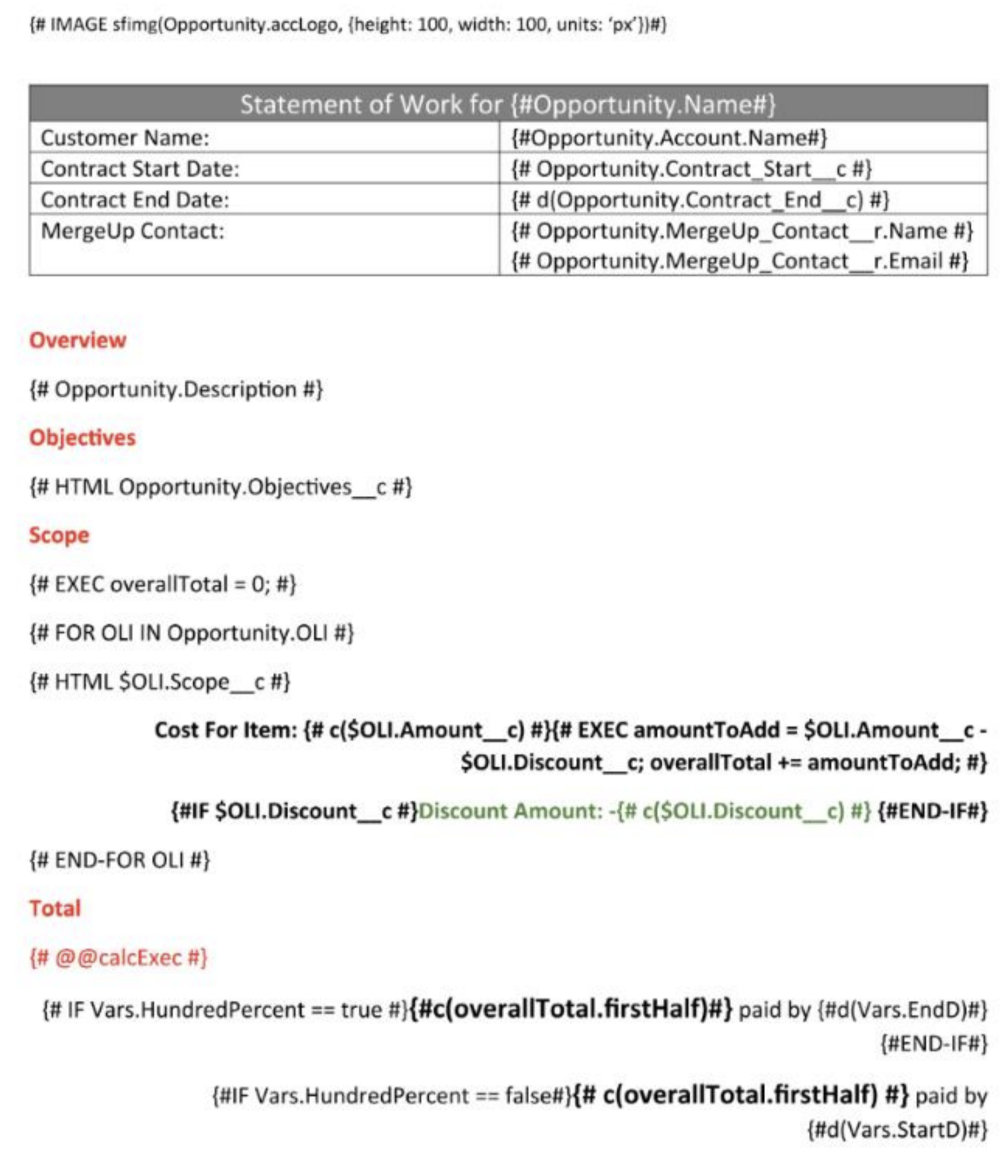
Finished Document
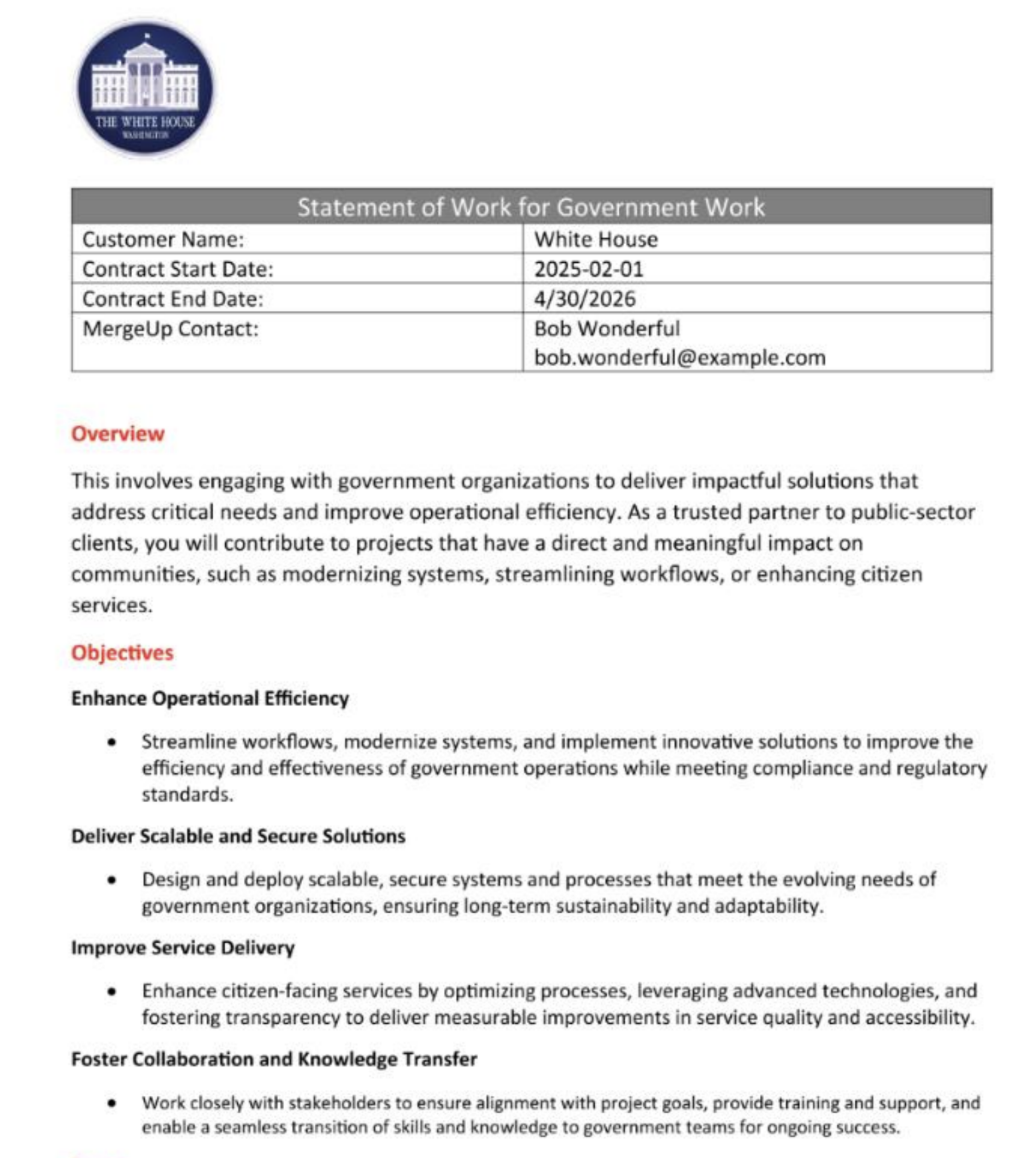
The merge fields are replaced with Salesforce data. The customer name and contract dates are populated. The appropriate sections appear. Repeating Salesforce records become readable document content. Calculations are resolved before the recipient sees the file.
That is the practical benefit of a flexible Salesforce document generation tool: it can absorb the complexity of the CRM data model and produce something intentionally simple on the other side.
A Few Good Use Cases for This Approach
The same pattern applies well beyond statements of work. Any document that combines data from several parts of Salesforce is a candidate.
- Proposals and quotes: Combine Account details, Opportunity terms, line items, discounts, and approved messaging.
- Contracts and agreements: Populate parties, dates, products, terms, and conditional clauses from CRM data.
- Customer reports: Pull related records, calculations, and summaries into a document designed for external consumption.
- Implementation documents: Combine sold products, project scope, contacts, milestones, and custom-object information for a delivery team.
- Internal summaries: Flatten data from several related Salesforce records into a document that can be reviewed, approved, archived, or shared.
Automate Generation with Salesforce Flow
Not every document needs to be generated by someone clicking a button. If the business process has a clear event that means a document is ready, Salesforce Flow can automate the generation step.
MergeUp supports Flow-based document generation, as well as Apex options for more customized automation. The demo below uses a Record-Triggered Flow with a Merge SOW Doc action on the asynchronous path.
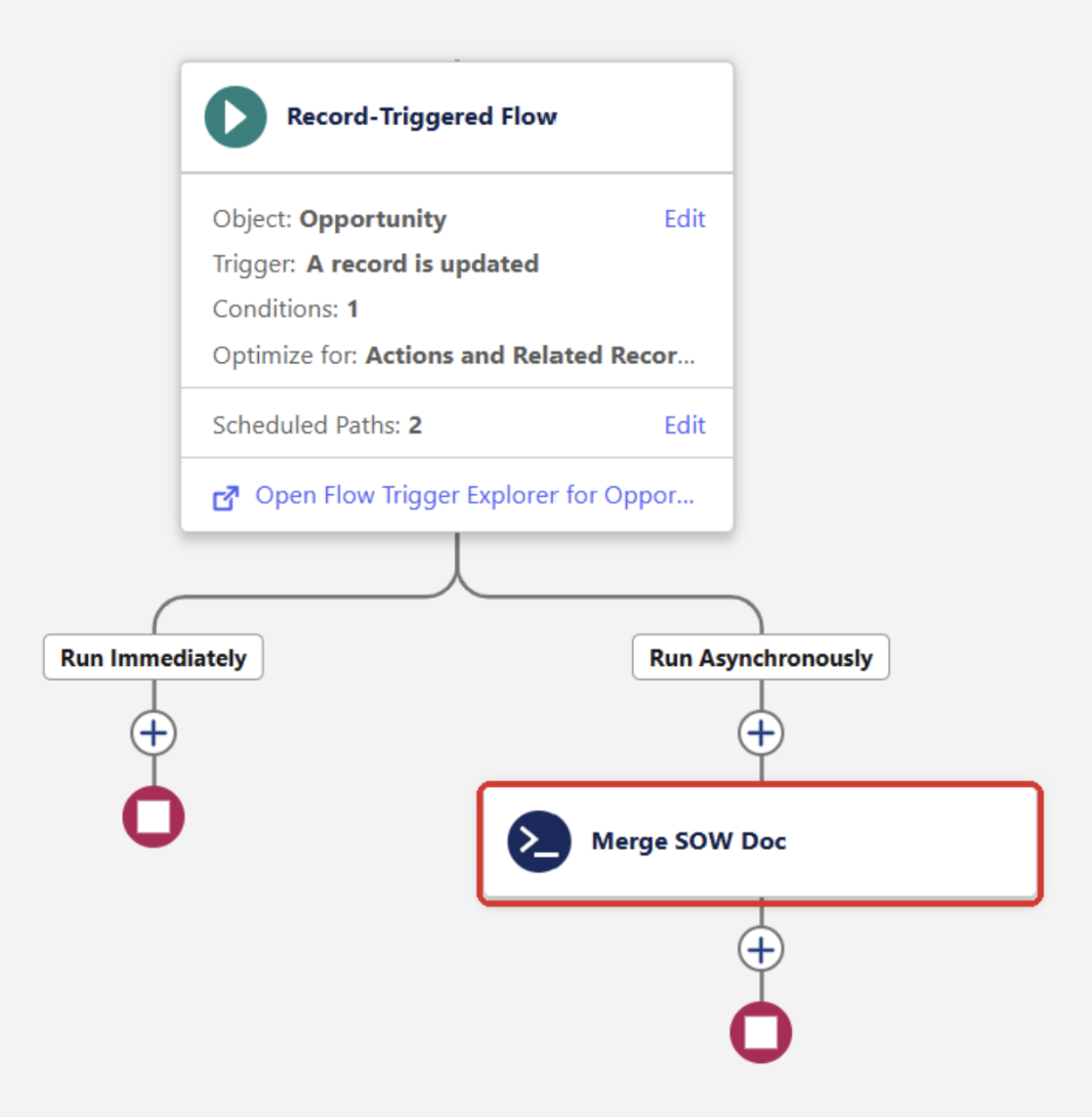
For production automation, the trigger should be specific enough to avoid creating duplicate documents after unrelated record updates. Admins should also decide how to handle errors, where the generated file should go, and whether review or approval is required before the document is sent externally.
The same principle applies here as it does to the template: automate the repetitive work, but keep the business controls deliberate.
What Should Salesforce Admins and Architects Design First?
A powerful document generation tool can do a lot, but the best implementations start with a clear document and data strategy.
1. Define the source of truth. Decide which Salesforce field or related record owns each important value. Avoid duplicating the same business concept across several objects unless there is a clear synchronization rule.
2. Map the required relationships. Identify the primary record, related objects, child collections, and custom objects the document needs. Build the template data around the real document requirement instead of exposing everything in Salesforce.
3. Separate presentation from logic. Use merge fields for simple values, repeating sections for collections, conditions for clear yes/no content rules, and JavaScript only when the requirement benefits from additional processing.
4. Test real edge cases. Try records with missing optional fields, many child records, long text, discounts, unusual date ranges, and both sides of every conditional rule.
5. Decide what happens after generation. A finished document may still require review, storage, signature, or delivery. Document generation is one step in the larger business process.
Frequently Asked Questions About Salesforce Document Generation
Can a Salesforce document pull data from multiple objects?
Yes. With MergeUp, template data queries can expose fields from the primary record and related Salesforce data, including child collections. The template can then place those values and records into one finished document.
Can Salesforce document generation handle line items and repeating records?
Yes. Repeating template sections can iterate over related records such as Opportunity Line Items so a document can create multiple rows or sections from Salesforce data.
Why would I use JavaScript in a document template?
JavaScript is useful when the document needs processing beyond straightforward merge fields, such as calculations, date logic, filtering, sorting, reusable variables, or more complex content decisions. It can be used selectively, while simpler templates remain code-free.
Can MergeUp generate Word documents and PDFs?
Yes. MergeUp supports Word and PDF output, as well as Excel and PowerPoint. The appropriate format depends on the document and downstream process.
Can Salesforce Flow generate documents automatically?
Yes. MergeUp supports document generation through Salesforce Flow. Define the business event carefully, provide the required inputs, and plan for success, failure, review, and delivery steps.
Your Salesforce Data Can Be Complex. Your Document Does not Have to Be.
The strongest document generation use cases are often the ones that look messy inside Salesforce: several related objects, collections of child records, calculations, conditional sections, and business rules that are difficult to reproduce manually.
MergeUp can bring that information together, apply template logic and JavaScript where needed, and turn it into one finished document that is much simpler than the data model behind it.
That is the real opportunity with Salesforce document generation: not just filling in a template, but translating the structure of Salesforce into a document people can actually use.
Learn more about Salesforce document generation with MergeUp.
Leave a Reply