
A partner account manager at a reseller gets an email late on a Thursday: "Please update the deal in the portal." The request looks simple. To act on it, though, they need to find a login they last used weeks ago, get through MFA, land on the home page, work out which tab holds opportunities, search for the right record, change a stage, and fill in two fields that became required since their last visit.
For the channel team that sent the email, this is a thirty-second task. For the partner, it's one more portal among the five or six they juggle across vendors, and one more item competing with their own customers for attention. Updates slip. Registrations arrive late, or come in by email and get keyed in by someone on the vendor side. Pipeline data in Salesforce drifts away from what is actually happening in the field.
Most Salesforce teams have seen some version of this, which raises a fair question: what if the partner could simply send a message instead?
That question sits at the center of headless PRM, and Salesforce Partner Cloud is a good place to explore it, because the platform already holds everything a lightweight channel needs to plug into.
What Headless PRM Means
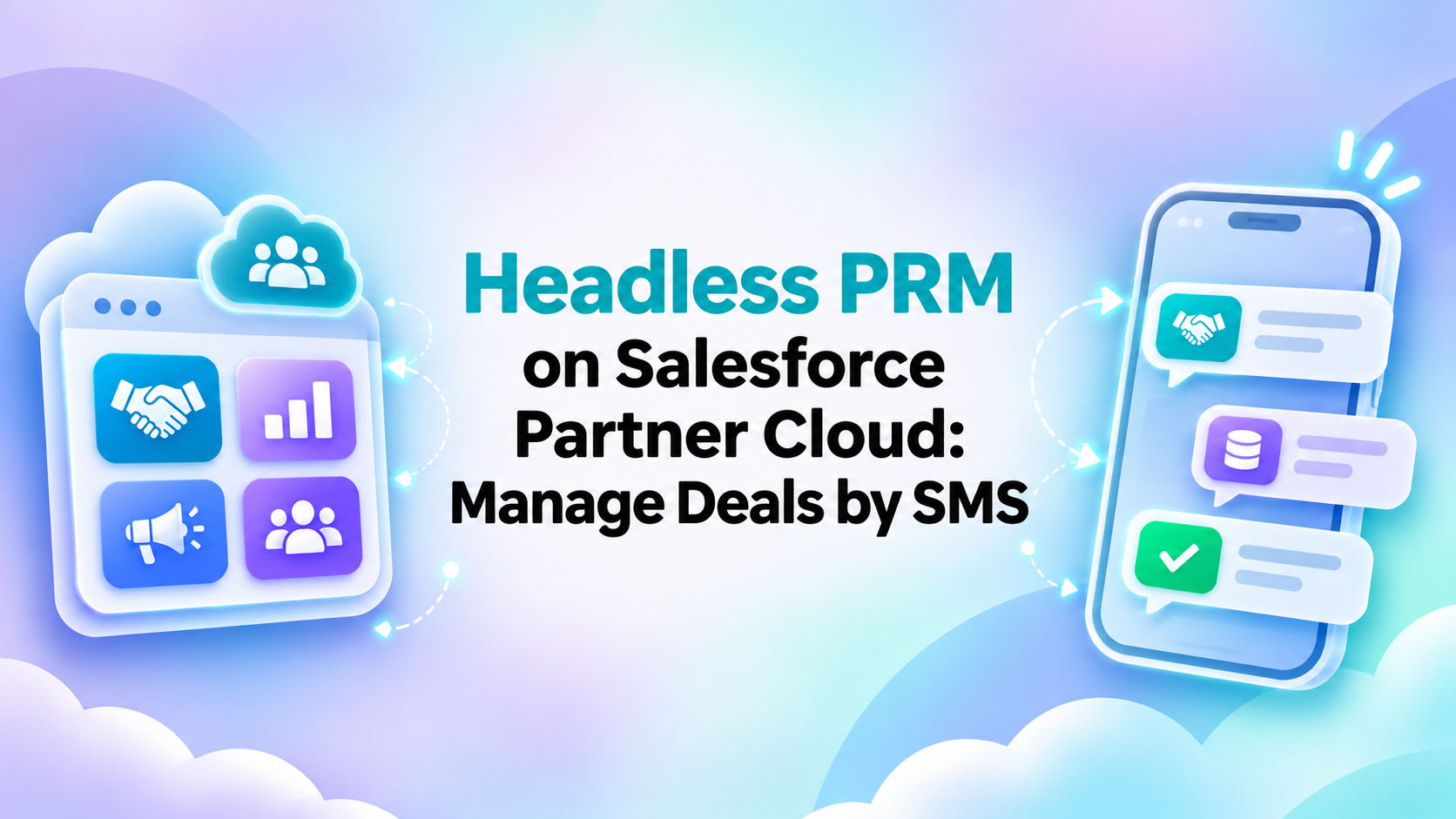
Headless PRM separates the partner workflow from a single required interface. Salesforce Partner Cloud still manages the data, permissions, and business logic, but partners can complete selected actions through other channels: SMS, messaging apps, a conversational AI assistant, or another connected interface.
The term borrows from headless commerce, where the storefront is decoupled from the engine behind it. In a PRM context, the "head" is the Experience Cloud partner portal. In a headless Salesforce Partner Cloud setup, the portal becomes one entry point among several, with Salesforce doing the work behind every one of them.
It's easy to confuse the idea with a few things it isn't:
- A PRM replacement. Partner Cloud remains the system of record. Headless interaction adds channels on top of it.
- Portal deletion. Most programs that adopt this model keep their portal and keep investing in it.
- A separate database. A text message that registers a deal writes to the same record a portal form would. There is no shadow copy to reconcile later.
Why Partner Portals Can Stall Engagement
Partner portals do a lot of things well. A good Experience Cloud portal is the right home for onboarding, enablement content, training paths, resource libraries, performance dashboards, incentive tracking, and complex opportunities that need attachments, multiple products, and back-and-forth with a channel manager. Partners plan for these sessions, and the richer interface pays off.
Partners often face friction when handling small, infrequent tasks in their day-to-day channel work: updating a deal stage, registering a lead someone mentioned on a call, checking whether someone approved a registration, submitting a single missing field, or asking a quick question about a product.
Each of these takes seconds of real work wrapped in minutes of navigation. When a partner does them rarely, every visit starts with relearning the interface. The cost compounds across vendors, too. A reseller working with eight manufacturers has eight logins and eight different ideas of where the deal registration button lives.
Channel teams often see the same pattern. Partners log in for onboarding and quarterly reviews, then fall back on email and phone for everything in between. Weak partner portal adoption numbers often reflect this split more than any real dislike of the portal. So the real issue is narrower than "portals don't work." Programs run into trouble when they require a portal session for every interaction, including the ones a partner could handle in a sentence.
How Deal Registration by SMS Works
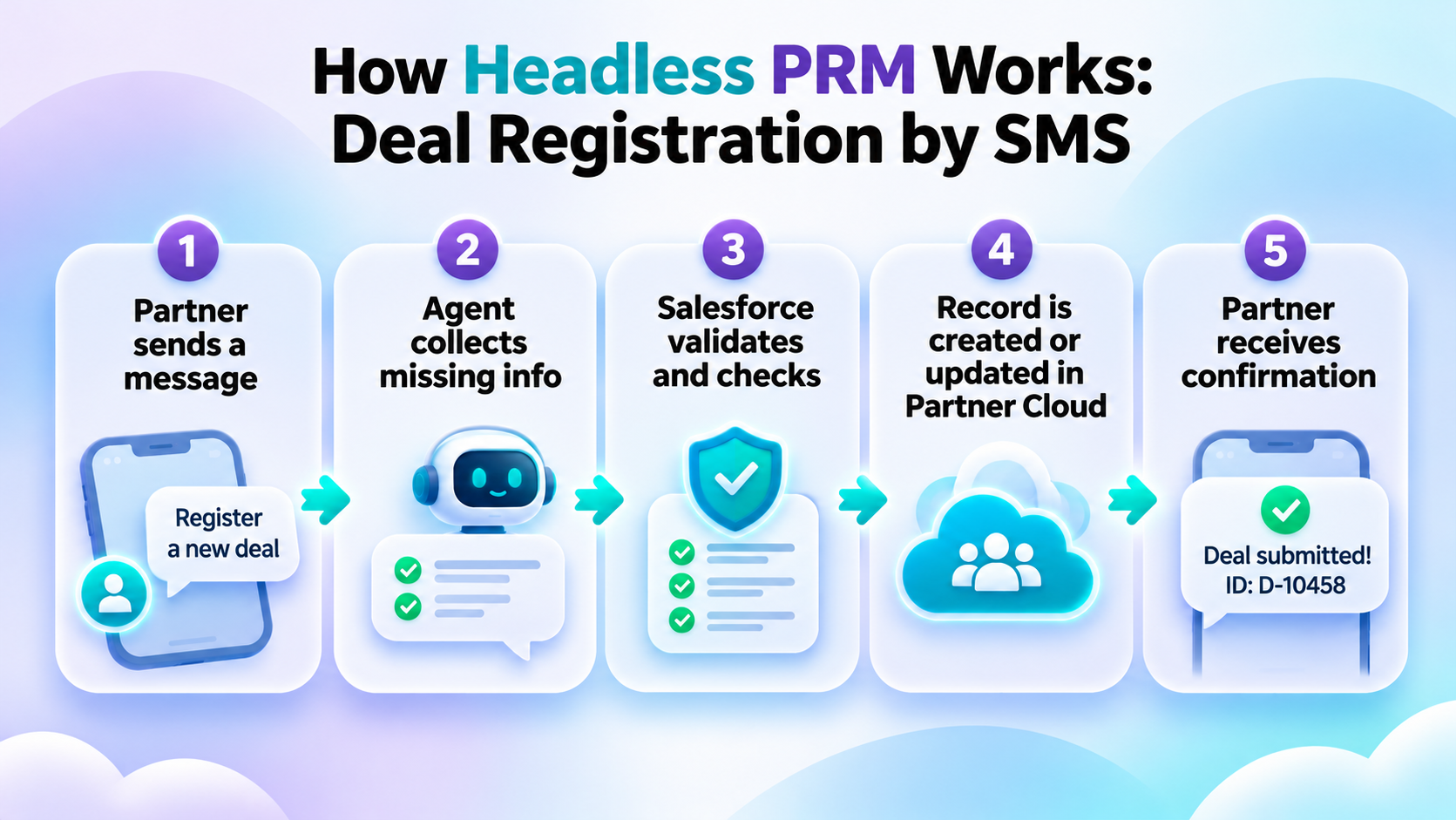
Deal registration makes a good test case because it is structured, frequent, and time-sensitive. A partner who meets a promising prospect wants to lock in the registration quickly, and they are rarely at a desk when the opportunity comes up. Here is how the flow typically works when you connect SMS to Partner Cloud.
- The partner sends a message. Something as plain as "I need to register a new deal," texted to an AI assistant the vendor publishes for its program.
- The agent asks for missing information. A conversational agent collects what the registration needs: account, contact, estimated value, product, and close date. If the partner front-loads details ("New deal with Northwind, about $40K, firewall bundle, closing in March"), the agent picks those up and only asks about the gaps.
- Salesforce validates the context. The request runs through the same checks a portal submission would. The partner’s identity is verified before the request is processed. That user's permissions decide what they can create and see. Required fields, validation rules, and business rules such as duplicate or channel-conflict checks all apply.
- The record is created or updated in Partner Cloud. The deal lands as a standard record in the org, with the partner account, owner, and source channel populated. There is no separate database, and approvals, assignment rules, and flows fire as usual.
- The partner receives confirmation. A reply comes back with the deal ID, its status (for example, "Submitted, pending approval"), and the next action.
The same pattern covers lighter requests. A partner can ask to see their open leads and opportunities, or create a new lead in plain language, and the record is written straight into Partner Cloud.
SMS is just the example here. The same agent and the same Salesforce logic could sit behind WhatsApp, for example. What makes the setup work is the architecture underneath the channel.
What Stays in Salesforce
Architects and admins usually ask about this first, and for good reason. A headless channel that bypasses the Salesforce security model would create more problems than it solves. Done properly, headless interaction keeps PRM inside Salesforce in every way that matters.
- Partner data. Accounts, contacts, opportunities, and deals live in the same objects as always. The messaging layer reads and writes them without keeping its own copy.
- Permissions. Partners see only the data they are allowed to see. A text asking for "all my open deals" returns the same set as their portal list view.
- Sharing rules. The headless channel must not route around the Salesforce security model. Running actions in the context of the partner user, rather than a privileged integration user, keeps sharing intact.
- Workflows. Approvals, routing, and validation run on every record, wherever it came from.
- Reporting. The channel team sees SMS-originated activity in the reports and dashboards they already use. A source-channel field makes it easy to compare portal and headless volume.
- Auditability. Every action leaves a trackable record of who did what, when, and through which channel.
If a proposed design can't answer "same as the portal" for each of these, it needs another look before go-live.
Portal-First vs. Headless PRM
Most partner programs will land somewhere in between. Here is where each model tends to fit.
| Interaction | Portal | Headless |
| Onboarding | Strong fit | Supporting role |
| Training | Strong fit | Limited |
| Resource library | Strong fit | Link / retrieval |
| Deal registration | Works | Strong fit for simple cases |
| Deal update | More navigation | Strong fit |
| Check status | Requires login | Conversational |
| Complex opportunity | Strong fit | Portal handoff |
| Dashboards | Strong fit | Summary / query |
What emerges is a hybrid model. The portal handles depth: learning, planning, and complex deals. Headless channels handle the quick actions that would otherwise sit in an inbox for a week. When a request outgrows a text thread, the agent hands the partner off to the right portal page.
Where Agentforce Fits
The conversational layer in the SMS example needs something to understand intent, ask follow-up questions, and call Salesforce actions in the right order. In Partner Cloud, an Agentforce partner assistant is a natural fit for that role, and it's what turns conversational PRM from a concept into something partners can actually use. Configured for a partner program, it can:
- answer partner questions about programs, products, and policies
- surface enablement content from your knowledge base or content library
- guide deal submission, collecting required fields step by step
- connect conversational interaction to Salesforce workflows through actions and flows
The same agent can serve more than one channel, embedded in the portal and connected to SMS at the same time, so partners get consistent answers wherever they ask.
One caveat is worth stating plainly. Agentforce needs configuration before it is useful to partners. You need to design and test topics, actions, guardrails, and data access. Depending on your setup, Agentforce for partners may also require additional licensing. Check that early.
What Organizations Should Consider Before Going Headless
Before building anything, work through these questions with your channel team and Salesforce admins:
- Which partner actions have the lowest portal adoption?
- Which actions are repetitive and structured?
- Which fields are required?
- How will identity be verified?
- Which permissions apply?
- Which actions require approval?
- When should the user be redirected to the portal?
- What should be logged?
- How will errors or exceptions be handled?
The answers usually narrow the scope fast, and that's a good thing.
How to Start
Teams that get value from headless PRM tend to resist rebuilding the whole program at once. A narrow first release teaches you more than a big design document.
- Choose one high-friction use case. Deal registration and status checks are common starting points.
- Define the required data. Keep the conversation to the fields Salesforce actually needs.
- Map Salesforce permissions. Confirm the channel runs as the partner user and respects sharing.
- Define confirmation and escalation. Decide what partners receive back and when a human or the portal takes over.
- Test with a limited partner group. Pick partners who are active but underuse the portal.
- Measure completion and adoption. Track how many started requests become valid records, and how quickly.
For organizations still setting up Partner Cloud, or moving from an older Salesforce PRM setup, a focused Partner Cloud Quick Start can be a sensible fixed-scope starting point: core portal configuration, one or two priority processes such as deal registration, and an Agentforce partner assistant launched with a pilot group. Headless channels can then extend that foundation once the data model and sharing are solid.
Advanced Communities implements Salesforce Partner Cloud and Agentforce-based partner experiences, including conversational use cases that reduce the need for portal login for selected partner actions.
If you're weighing how far to take this in your own program, see how a Salesforce Partner Cloud implementation can support both portal-based and headless partner experiences.
Leave a Reply