

The Decision element is one of the main elements in Salesforce Flow, and has been there since the early days of Flow. Flow builders use the Decision element to evaluate conditions and determine which path the flow should follow. It supports both simple and complex logic, making it a key element for controlling a flow's behavior. In the Winter '27 release, Salesforce introduced two new elements called Split by Field Value and Split by Date. Although Salesforce introduced them as brand-new elements, they essentially work as simplified versions of the Decision element. They split the flow based on a field value or a date.
In this post, we'll take a closer look at these two new elements and compare them with the traditional Decision element.
Split by Field Value Element
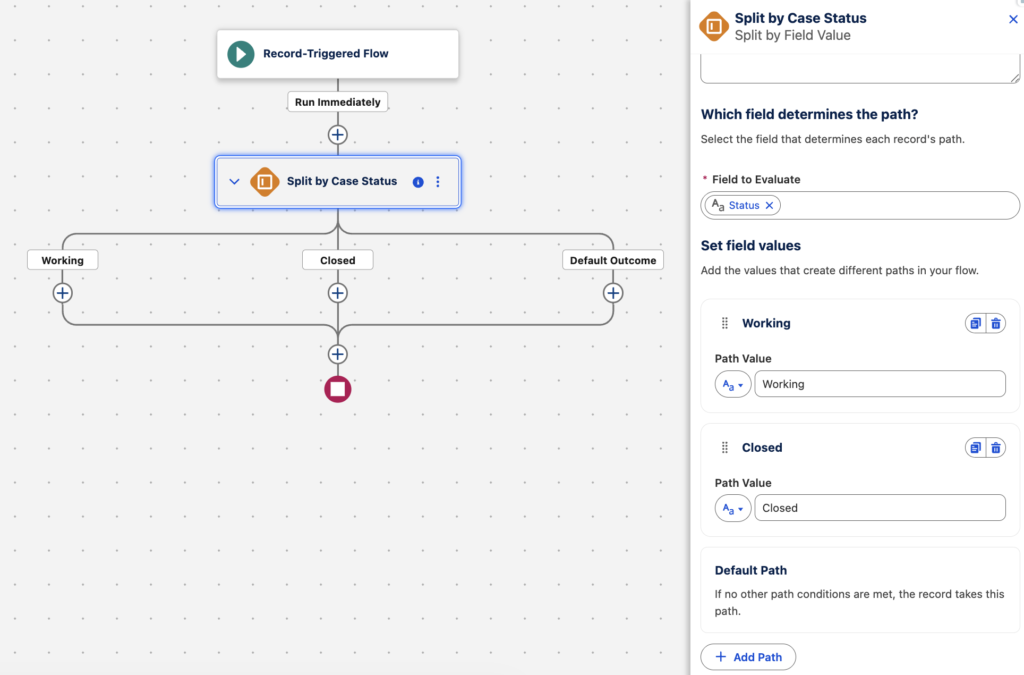
The Split by Field Value element is essentially a simplified version of the Decision element that splits the flow based on a field value. You simply choose the field that you want to evaluate and then configure the possible field values. Each value that you add creates a separate path in the element. It is important to mention that the Field to Evaluate doesn't have to be an actual field. You can also select a resource, and the value is not limited to text.
If none of the configured values match, the flow follows the Default Path. However, unlike the Decision element, this element does not let you rename the default outcome.
Moreover, you can easily clone existing paths using the Clone button.
Split by Date Element
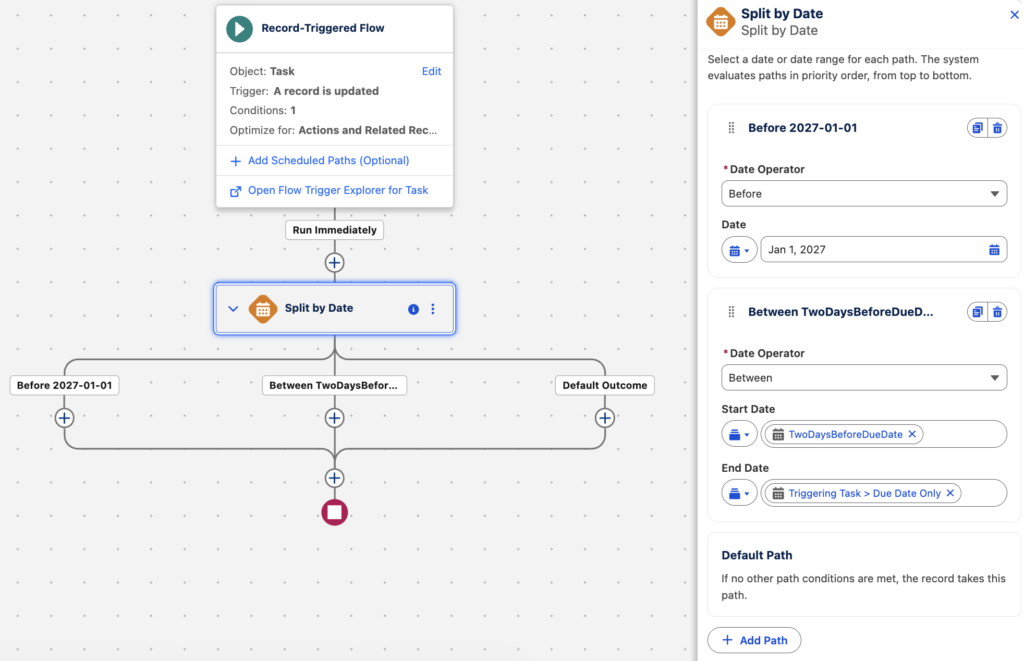
The Split by Date element works similarly to Split by Field Value. It is essentially a simplified version of the Decision element that splits the flow based on a date value.
When you add a new path, you can choose from four date operators: Before, Between, After, and Is On. For the comparison value, you can either enter a specific date or select a resource.
Unlike the Split by Field Value element, you don’t need to select a single resource to evaluate at the beginning. Each path can evaluate a different date value.
Split Elements vs. Decision: Which One Should You Use?
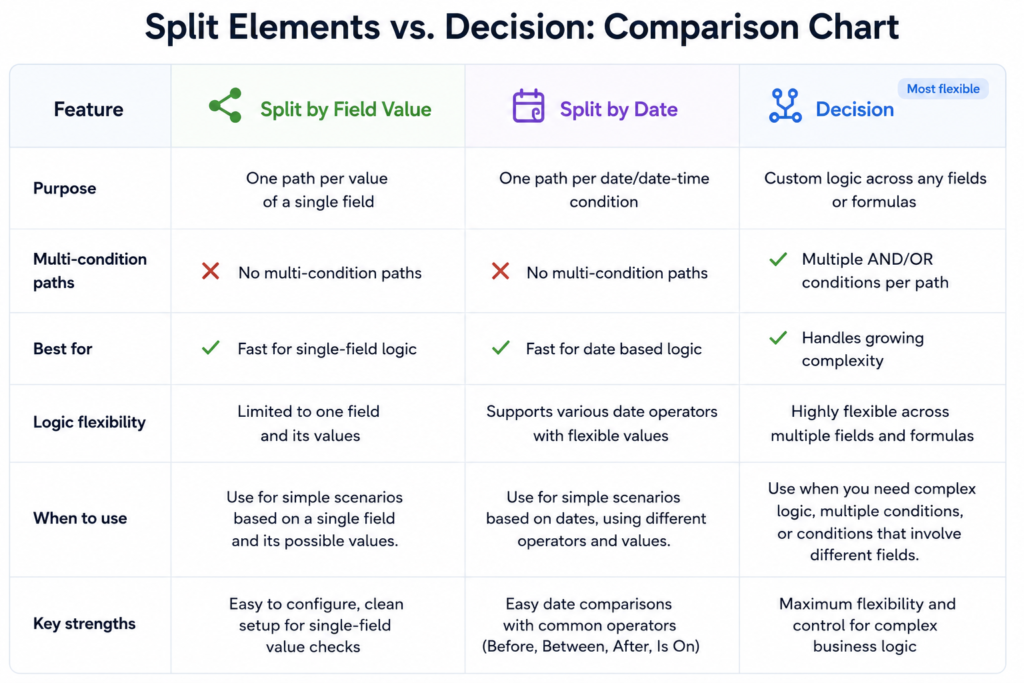
The Split by Field Value and Split by Date elements work best for simple scenarios. Unlike the Decision element, they don't let you define multiple criteria within the same path.
Even if your use case starts simple, you may quickly reach this limitation. For example, if you want to add another condition that doesn't depend on the same field, you cannot add it to the existing path. In that case, you need to switch to the Decision element.
Keep these limitations in mind when choosing the right element for your flow.
Leave a Reply