Salesforce Time Logo
  • Home
  • News
  • Flow
  • Packages
    • Flow Actions
    • Flow Screen Components
    • Other Packages
    • View All
  • Other
    • Salesforce Certification Score Calculator
    • Marketing Cloud
    • CPQ
    • Other
  • Salesforce Time Agent
  • About
  • Contact

Month: July 2025

Choosing Between Flow and User Access Policies

Choosing Between Flow and User Access Policies

July 29, 2025 Yumi Ibrahimzade 4

Here is a comparison of flow and user access policies, with guidance on when to use each and how to choose the best approach for your use case.

User Access Policies in Salesforce

User Access Policies in Salesforce

July 21, 2025 Yumi Ibrahimzade 3

User Access Policies are a standard Salesforce feature that allows admins to automate access related tasks based on predefined criteria.
The Great ERP Unbundling

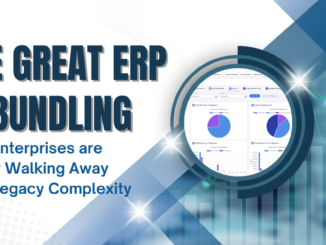
The Great ERP Unbundling: Why Enterprises are Finally Walking Away from Legacy Complexity

July 17, 2025 Yumi Ibrahimzade 1

Axolt is a Salesforce-native ERP designed to unify operations across Inventory, Manufacturing, Finance, Supply Chain, HR, and more, with real-time visibility and low-code flexibility.

Retry Logic in Record-Triggered Flow Scheduled Paths

Retry Logic in Record-Triggered Flow Scheduled Paths

July 3, 2025 Yumi Ibrahimzade 1

If the actions in a scheduled path fail, Salesforce automatically retries them. This makes scheduled paths more resilient and reliable for handling delayed or time based actions.

Avonni
Talent Stacker Freelance
SharinPix
Axolt
Salesforce AI integration
Titan
Salesforce Certification Score Calculator

GET THE LATEST POSTS TO YOUR EMAIL

Subscribe

Recent Posts

  • How to Use Flow as an Agentforce Agent Action
    How to Use Flow as an Agentforce Agent Action
  • How to Use the Radio Button Group Screen Component in Flow
    How to Use the Radio Button Group Screen Component in Flow
  • New Flow Features of Summer '26 Release
    New Flow Features of Summer '26 Release
  • How to Process Images and PDFs in Flow Using Prompt Templates
    How to Process Images and PDFs in Flow Using Prompt Templates
  • How to Repeat Actions in Flow Using a Counter and a Fake Loop
    How to Repeat Actions in Flow Using a Counter and a Fake Loop
Connect With Us
  • LinkedIn
  • Send Email
  • Contact Form
  • Subscribe to Newsletter
Top 5 Posts
  • New Flow Features of Summer '26 Release
  • Different Ways to Bypass Validation Rules in Flow
  • iFrame Screen Component
  • How to Process Images and PDFs in Flow
  • How to Control the CSS of Screen Flows
Quick Links
  • Privacy Policy
  • Axolt - A Modular ERP for Salesforce
  • Flow Packages
  • HubSpot Salesforce Integration
  • Salesforce Certification Score Calculator

Copyright © 2026 | SalesforceTime.com