
Salesforce Named Query API is a new capability that helps admins and developers simplify how agents and external applications access data in Salesforce. By defining reusable SOQL queries, you can create custom agent actions and expose data through REST APIs in a cleaner, more consistent way.
Existing Approaches to Data Access in Salesforce
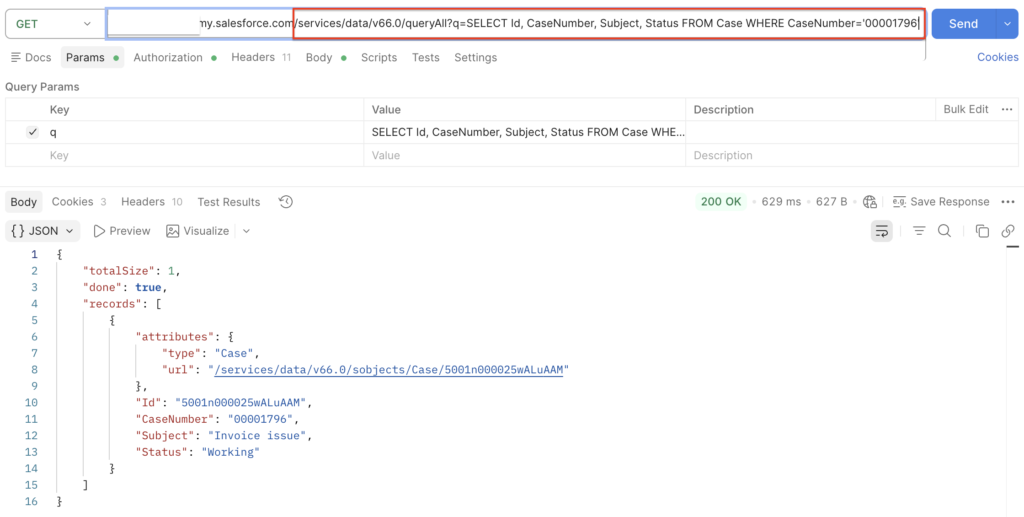
Today, external applications can access Salesforce data by sending a GET request to the REST API /query endpoint and including a SOQL query directly in the request. While this approach is flexible, it requires knowledge of SOQL.
For Agentforce agents, data access is typically handled through tools such as autolaunched flows or Apex classes. With an autolaunched flow, you can use a Get Records element to retrieve data and return it as flow output. With Apex, you can expose an invocable method and then use it to create a custom agent action.
With Named Query API, you can define reusable SOQL queries directly in Salesforce and use them across both Agentforce actions and REST APIs. That means if a field changes or you need to adjust the query, you only need to update it once in Salesforce. There is no need to change your flow, Apex code, or external integration.
How to Create a Named Query API
To create a Named Query API, open Setup, search for Named Query API, and click New to create one.
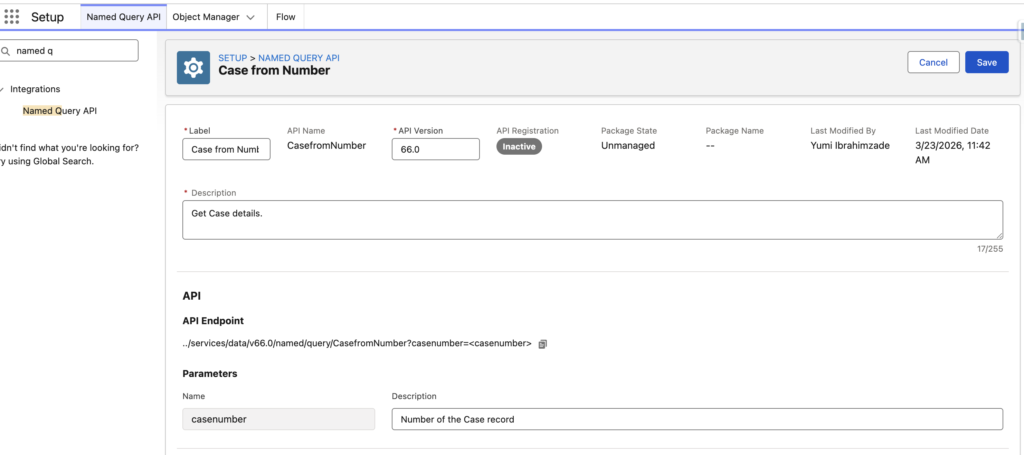
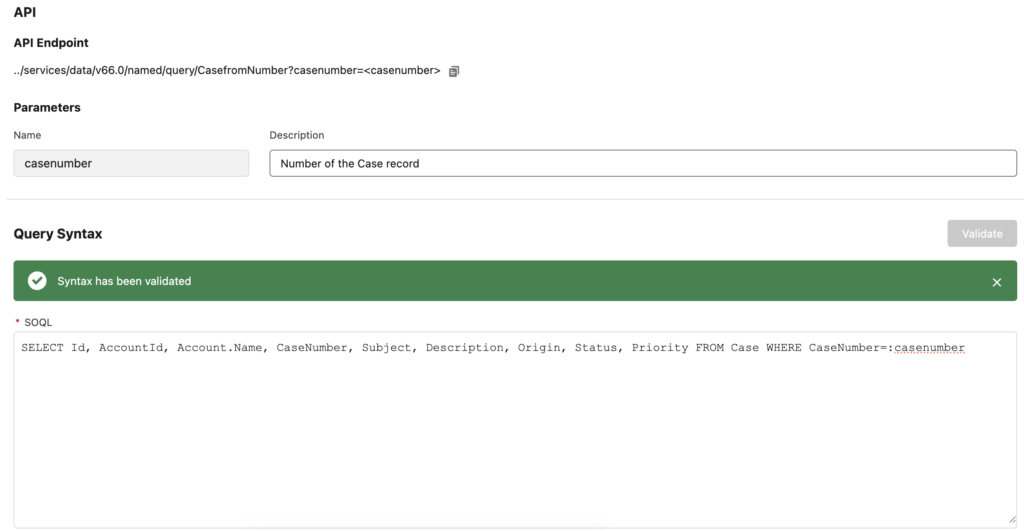
For example, let's say you want to create a reusable SOQL query to retrieve details for a Case record. Start by creating a new Named Query API, give it a name, and then enter the following SOQL query:
SELECT Id, AccountId, Account.Name, CaseNumber, Subject, Description, Origin, Status, Priority FROM Case WHERE CaseNumber=:casenumberThis query retrieves fields from a specific Case record, including the name of the related Account. Named Query API supports input parameters in the WHERE and LIMIT clauses.
How to Use Named Query API with REST API
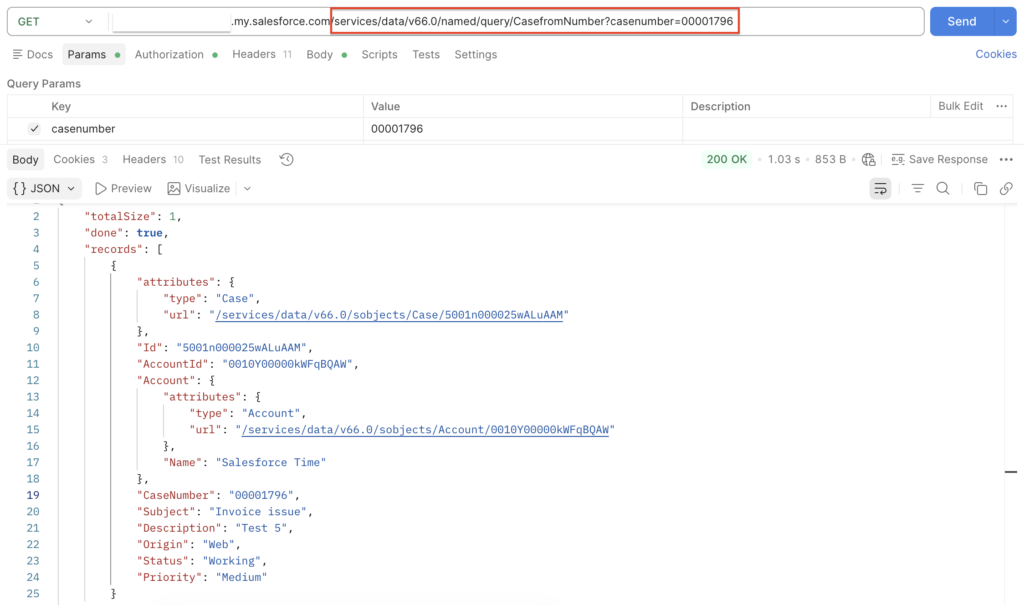
When you save a Named Query API, Salesforce automatically exposes it as a REST API. In this example, Salesforce exposes the Named Query API at the following endpoint:
<my domain>/services/data/v66.0/named/query/CasefromNumber?casenumber=xxxx
You can use this endpoint to call the query from an external application. The API exposes the input parameters as query parameters, so the application can pass values directly in the request.
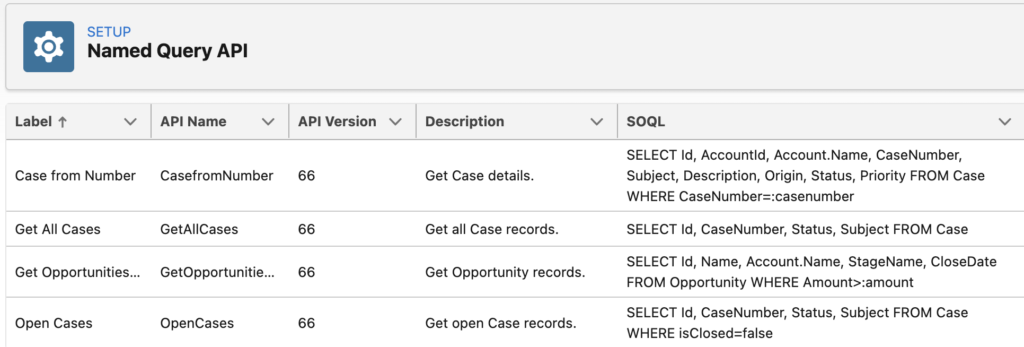
Here are a few more reusable query examples:
How to Use Named Query API in Agentforce Actions
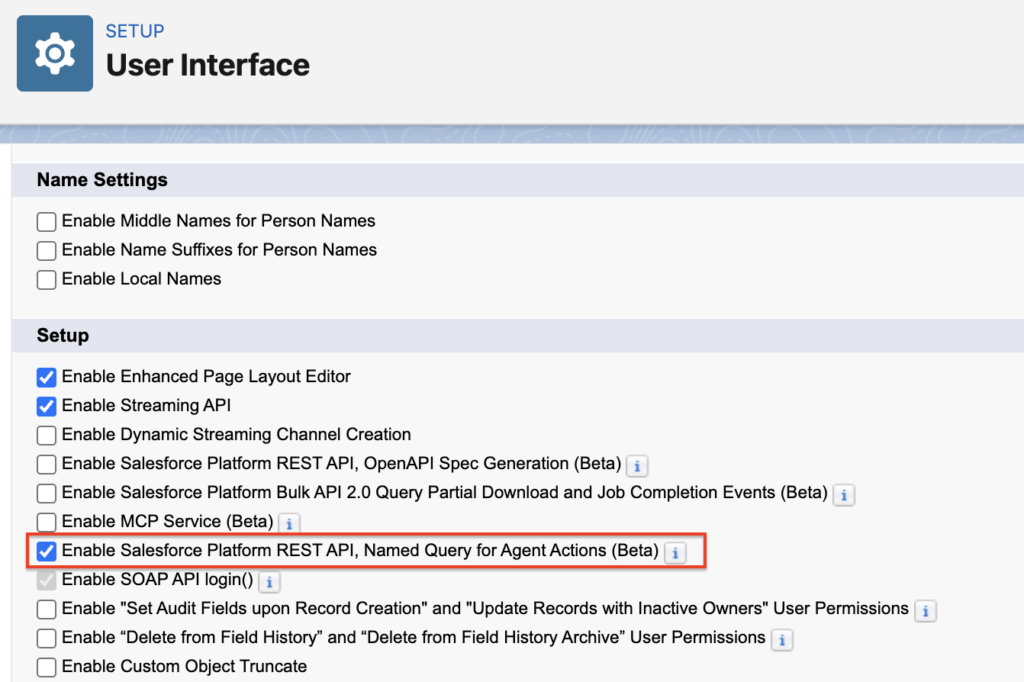
To use Named Query API in Agentforce actions, first enable the feature in Setup. In User Interface, select "Enable Salesforce Platform REST API, Named Query for Agent Actions (Beta)".
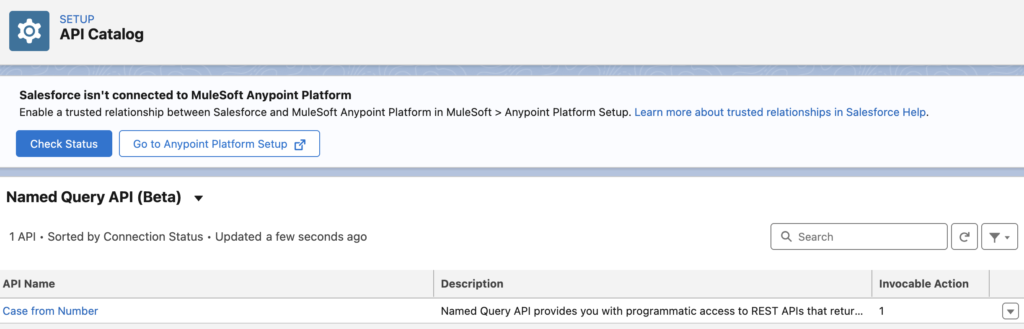
To use a Named Query API in a custom agent action, you must first activate it for agent action use in the API Catalog.
After you activate a Named Query API for agent action use, Salesforce prevents you from editing or deleting it in Setup. To make changes, you must first deactivate it in the API Catalog. Before you deactivate it, make sure no agent actions currently use it.
After you activate the Named Query API, you can create an agent action that uses it.
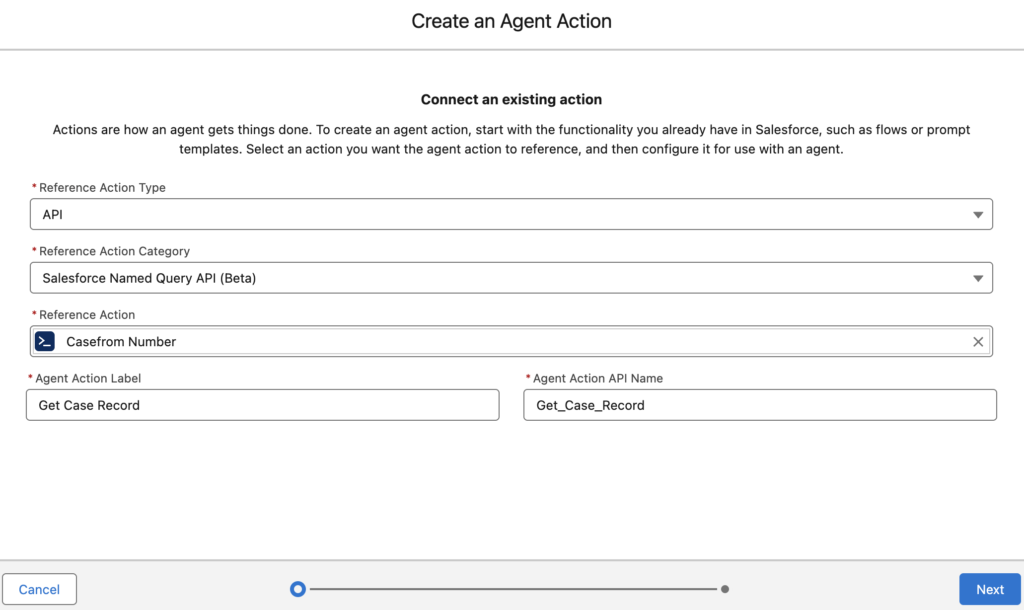
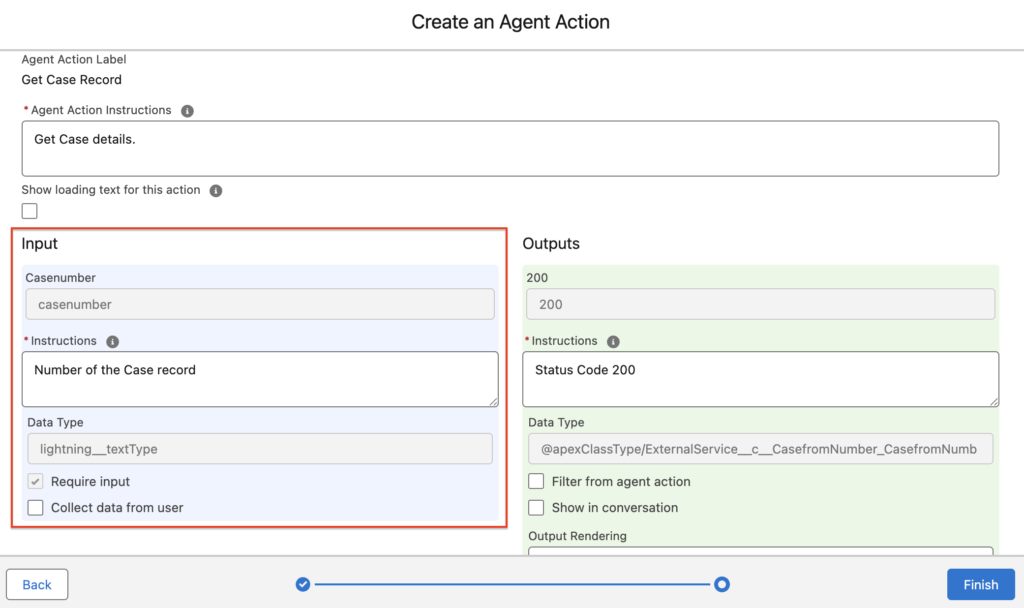
As you can see, Case Number becomes the input of the Agent action.
Conclusion
Named Query API gives admins and developers a simpler way to expose Salesforce data to agents and applications. You define the query once in Salesforce and reuse it where needed. This approach reduces complexity and makes updates easier to manage. It also creates a cleaner way to deliver data through Agentforce actions and REST APIs.
Related Content:
How to Launch a Flow from the REST API
Hi, Are these named querys accessable from apex?