
Salesforce's Summer '26 release is just around the corner, and it's packed with fresh enhancements for Salesforce Flow. Here is a quick look at what is new in Flow.

1- Data Table Enhancements
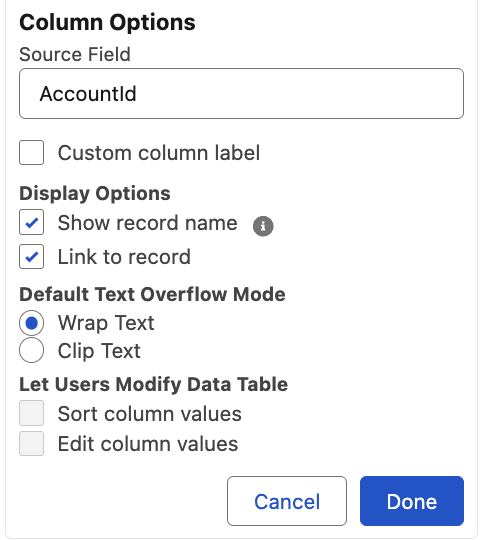
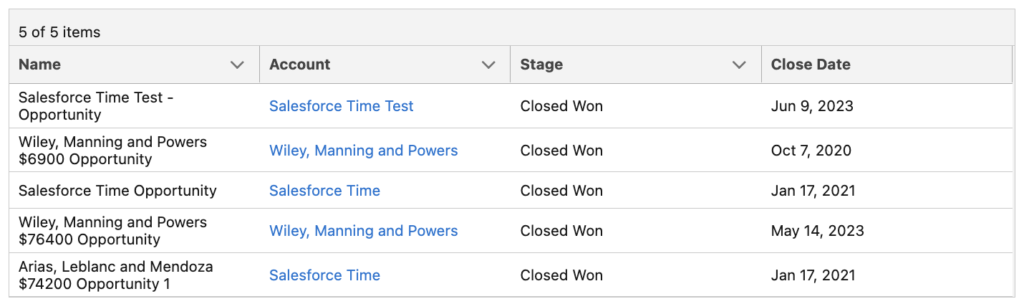
Starting with the Summer '26 release, when you display a lookup field in a data table, it can now show the related record’s name instead of the record Id. This is something many of us have been waiting for. You can also configure it to display the value as a link to the record. This means no more workarounds to display clickable record names!
2- Radio Button Group Screen Component
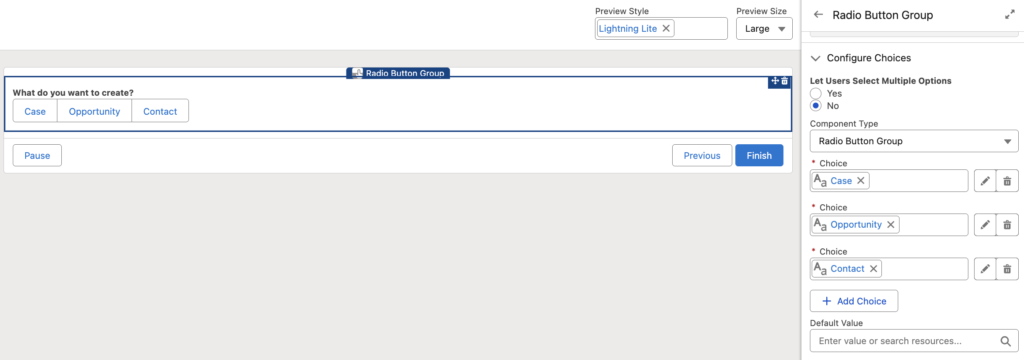
There is a new screen component called Radio Button Group. It is similar to existing selection components such as Picklist. However, instead of showing the options in a dropdown, it displays them as horizontal boxes.

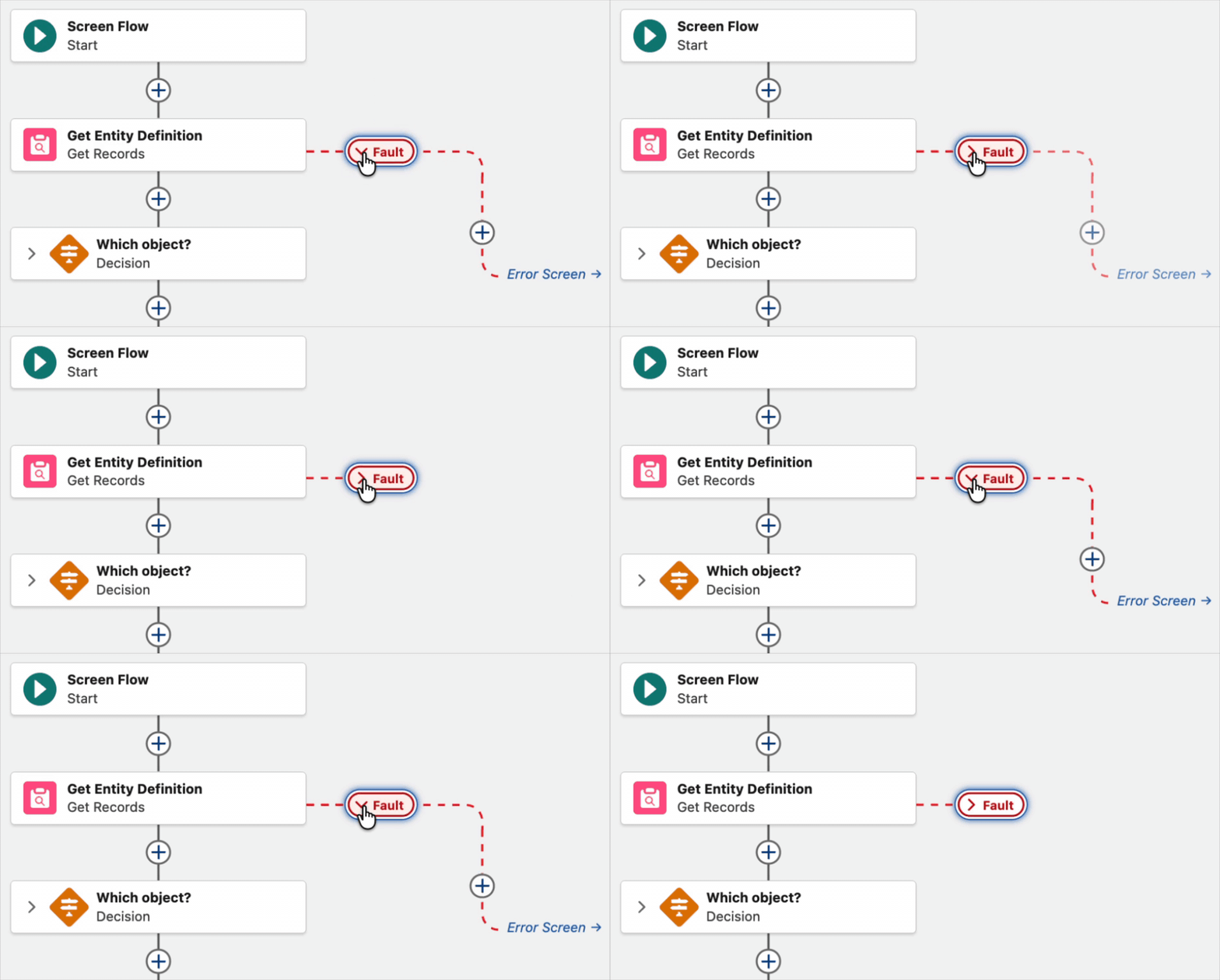
3- Collapse and Expand Fault Paths
In Spring '26 release, Salesforce introduced the ability to collapse and expand Decision and Loop elements. In Summer '26 release, you can now collapse and expand fault paths too.
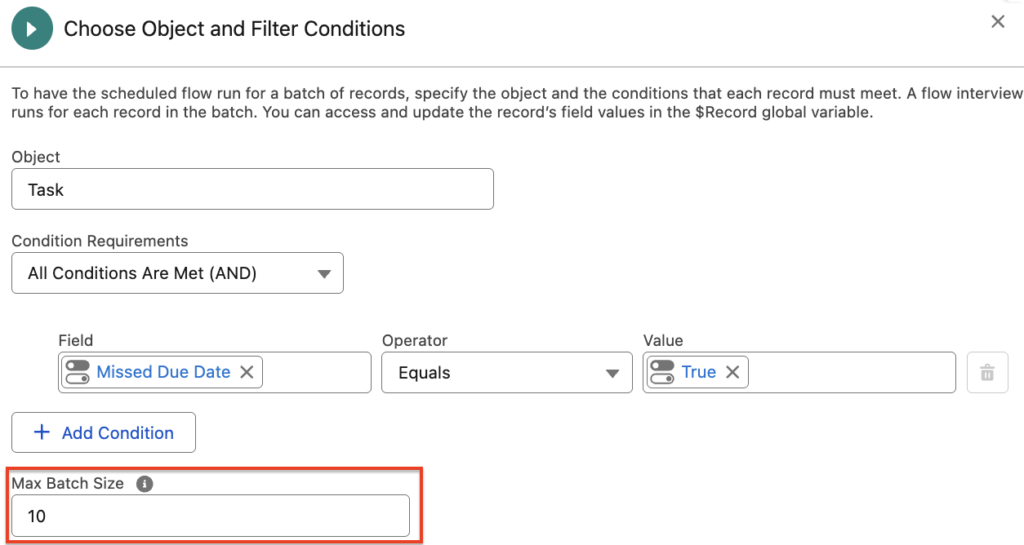
4- Max Batch Size in Schedule-Triggered Flows
You can now set the maximum batch size in schedule-triggered flows. The default batch size is 200, but you can choose a smaller value when needed. For example, if the flow needs to process 7 records and the maximum batch size is set to 2, Salesforce will process them in 4 batches.
Smaller batch sizes can help improve performance and reduce the risk of hitting Apex governor limits. However, setting the batch size too low can increase the overall processing time.
Leave a Reply