
With the Salesforce Spring '26 release, Flow debugging just got a whole lot more visual. Flow Embedded Analytics is now available in every org, bringing real execution insights directly into Flow Builder. You can see total runs on each element right on the canvas, plus aggregated stats such as element run status and total duration in the side panel. Instead of guessing what’s happening at runtime, you get a clear view of what’s actually executing exactly where you are building.
Let's see how Flow Embedded Analytics works.
What is Flow Embedded Analytics?
Flow Embedded Analytics brings run and performance insights directly into Flow Builder. It is available in auto layout and supports all flow types except Screen Flows.
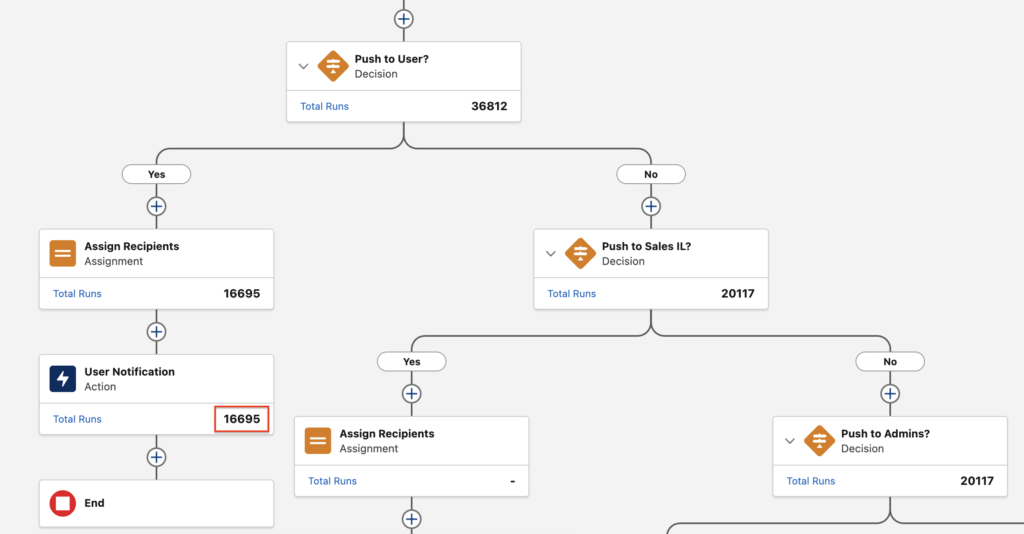
Once your flow is activated and has run at least once, each element in auto layout shows its total number of runs right on the canvas.
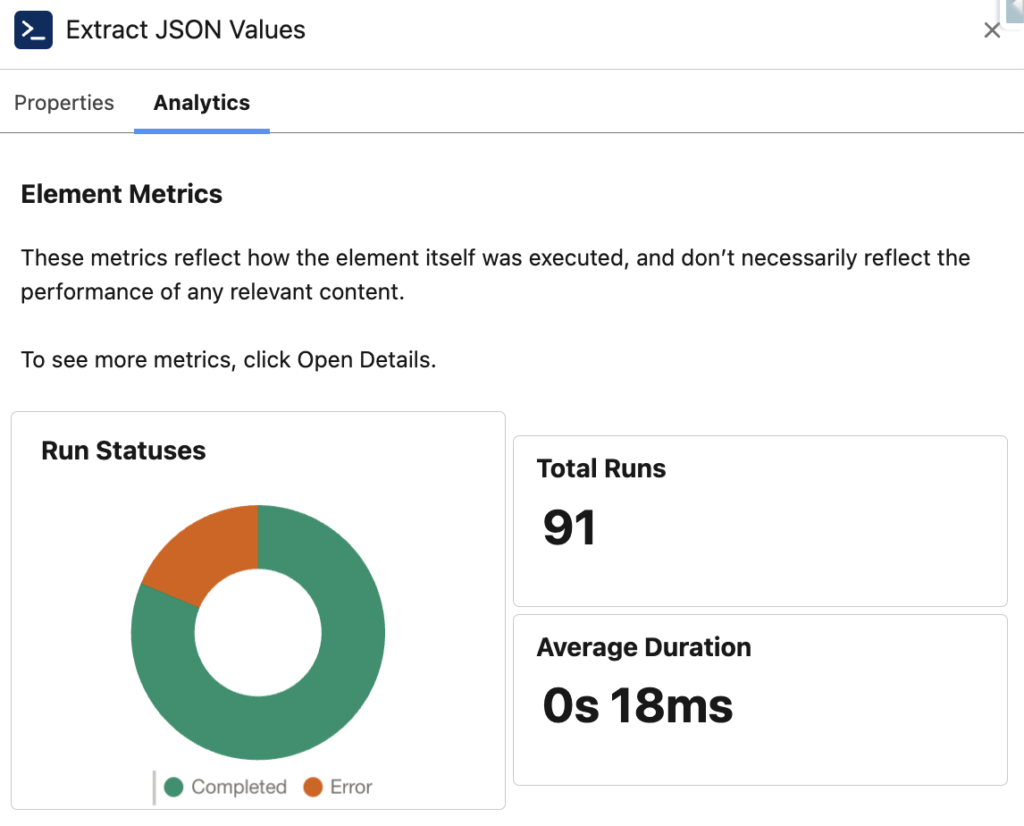
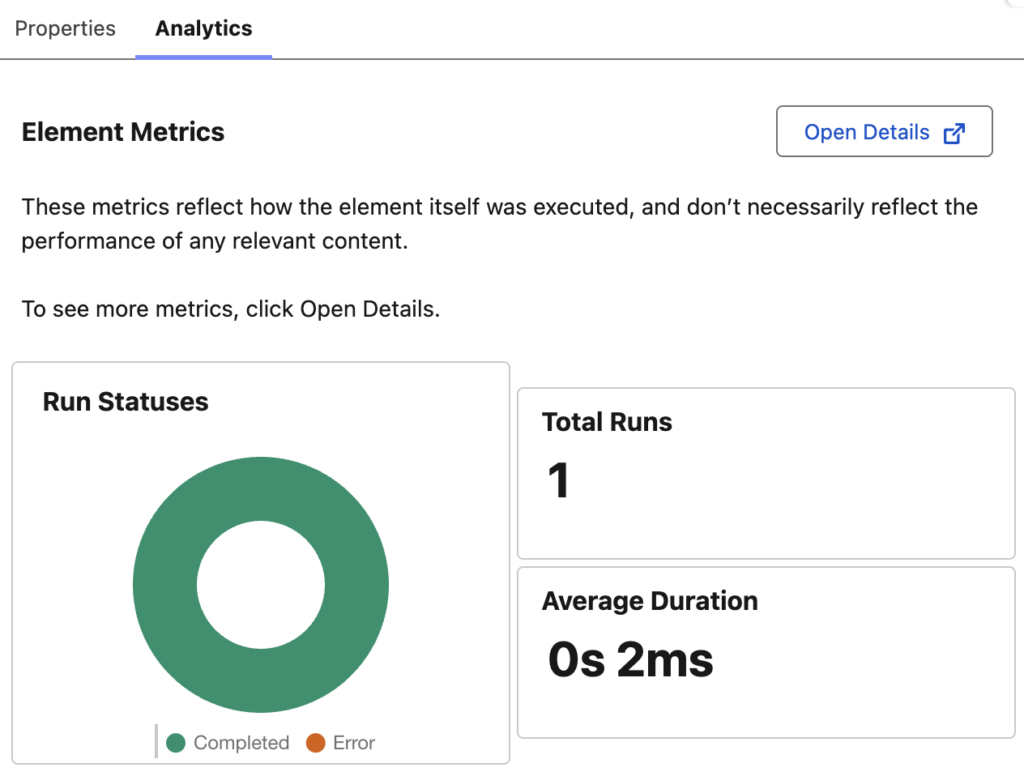
To view more details, click an element and open the Analytics tab. Here, you can see the total number of completed and failed runs, along with the average duration for that element.
Flow Embedded Analytics is free up to this point.
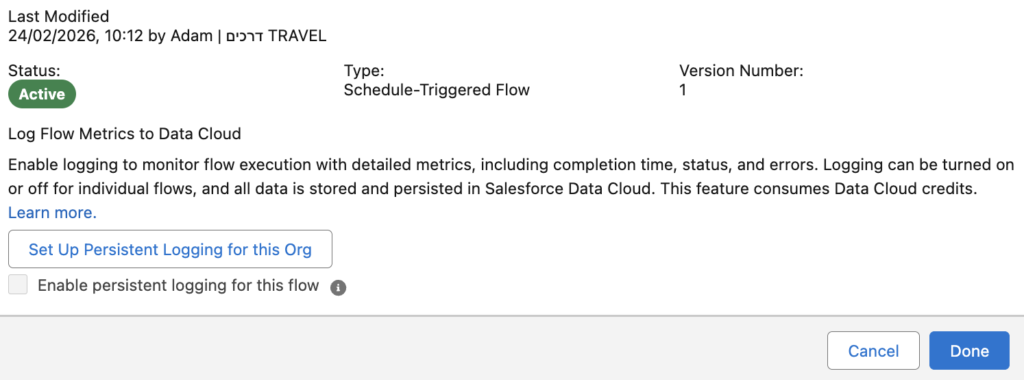
If you want deeper insights, you need to enable persistent logging for that specific flow. This turns on detailed execution logging so you can track completion time, status, and errors. You can enable or disable logging per flow, and the data is stored in Salesforce Data Cloud. Keep in mind that persistent logging uses Data Cloud credits.
Persistent Logging
First, you need to set up persistent logging for your org. You can do this in two ways.
- From the Advanced section in Flow Settings:
- From the Flow Logs tab in the Automation app:
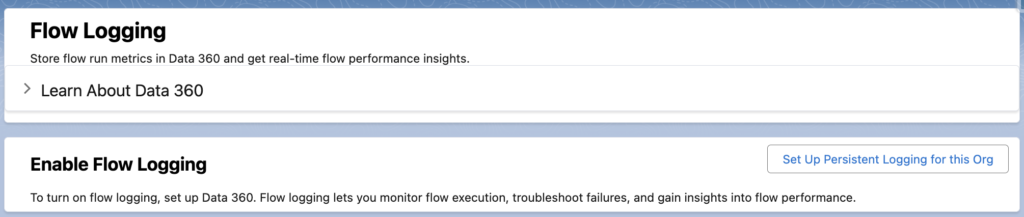
Let's mention this again: Turning on logging consumes Data Cloud credits.
After you set up persistent logging for your org, select the checkbox to enable logging for the specific flow you want to monitor.
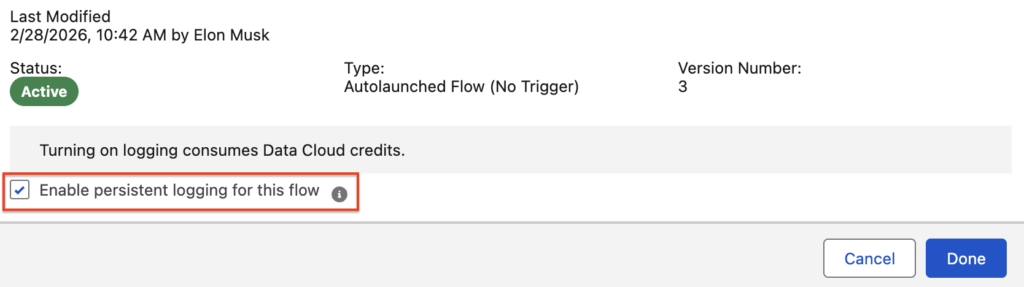
After that, the Open Details button will appear, and logging data for each flow element will be available in Data Cloud.
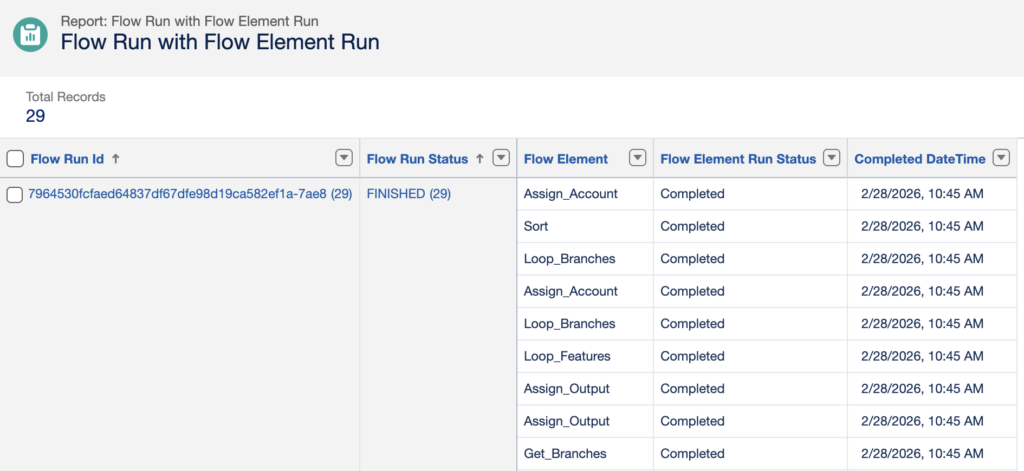
You can then build standard Salesforce reports on flow performance using the FlowRun and FlowElementRun report types. This unlocks deeper insights that weren’t available before, including a detailed view of each executed element and its execution data.

Is it me? During the preview phase of Spring '26 I became a fan of embedded analytics. Especially to see the runs per element in Flow. But since a week or so it is gone. Not a single flow is displaying the total runs counter, both in production and sandbox. Did I miss something? Do I need to sign up for Data 360 now?
The feature is currently turned off temporarily because of performance issues. Salesforce is actively working on it, and there is a Known Issue you can track here:
https://help.salesforce.com/s/issue?language=en_US&id=a02Ka00000mlvjtIAA