

Letterhead is a reusable Salesforce email layout with branded headers, footers, colors, and styling. It helps keep your emails consistent, professional, and recognizable across different messages. However, when you send an email directly from Flow using the Send Email action, there's no built-in option to apply a letterhead. You can use a letterhead only when you send the email through an email template. However, if you're composing the email body inside the Flow itself, Salesforce doesn't provide a way to add a letterhead. In this post, you'll see a simple workaround to add a letterhead to emails sent from Flow.
Apply an Enhanced Letterhead to a Text Template in Flow
Salesforce supports both Classic Letterheads and Enhanced Letterheads, but this workaround works only with Enhanced Letterheads. That's because an Enhanced Letterhead is saved as a Salesforce record in the database, and its header and footer are stored as HTML in fields
You can query the Enhanced Letterhead record in Flow, pull the header and footer HTML, and reuse them inside a Flow text template to wrap your email body with the same branded layout.
Let's see a simple Flow that sends emails with a letterhead.
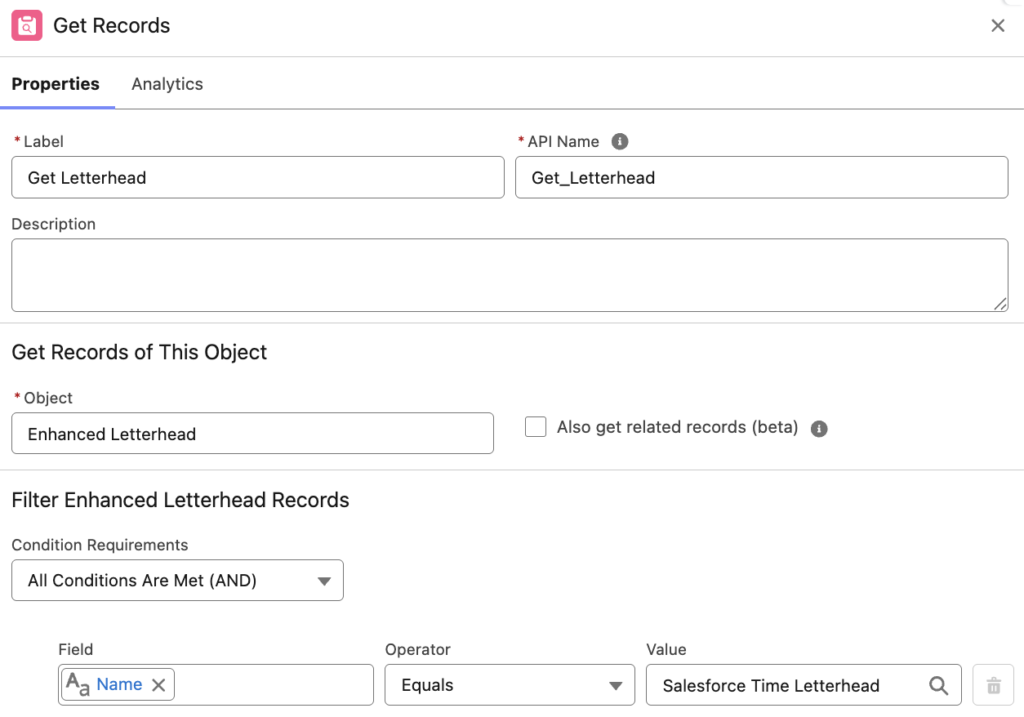
1- Use a Get Records element to retrieve the Enhanced Letterhead record you want to apply.
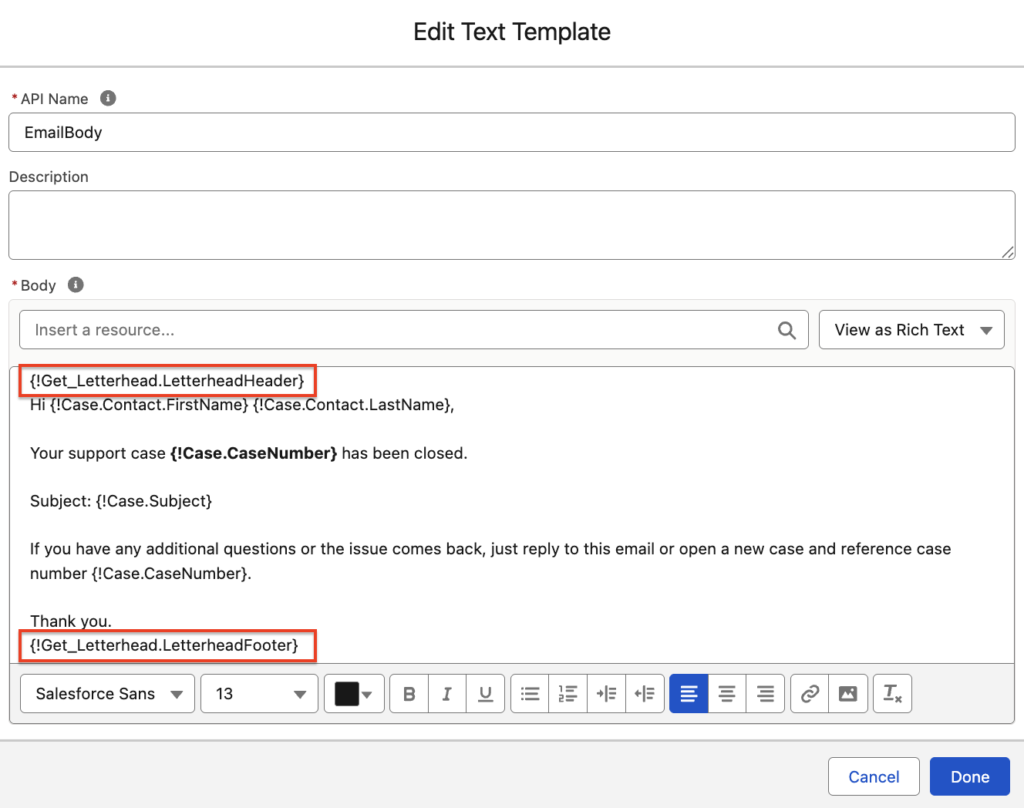
2- The header and footer are stored in fields, so you can insert them directly into the text template you use as the email body.
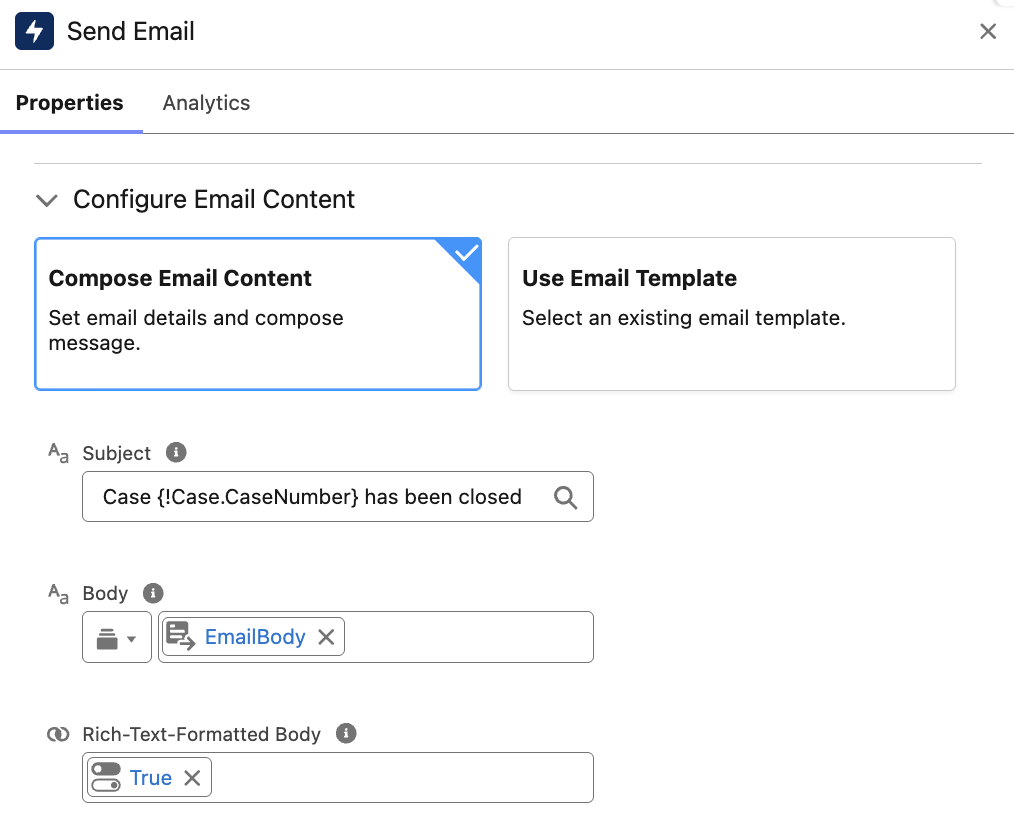
3- Add a Send Email action and use your text template as the email body. Since the header and footer are HTML, you must choose it as a rich-text-formatted body.
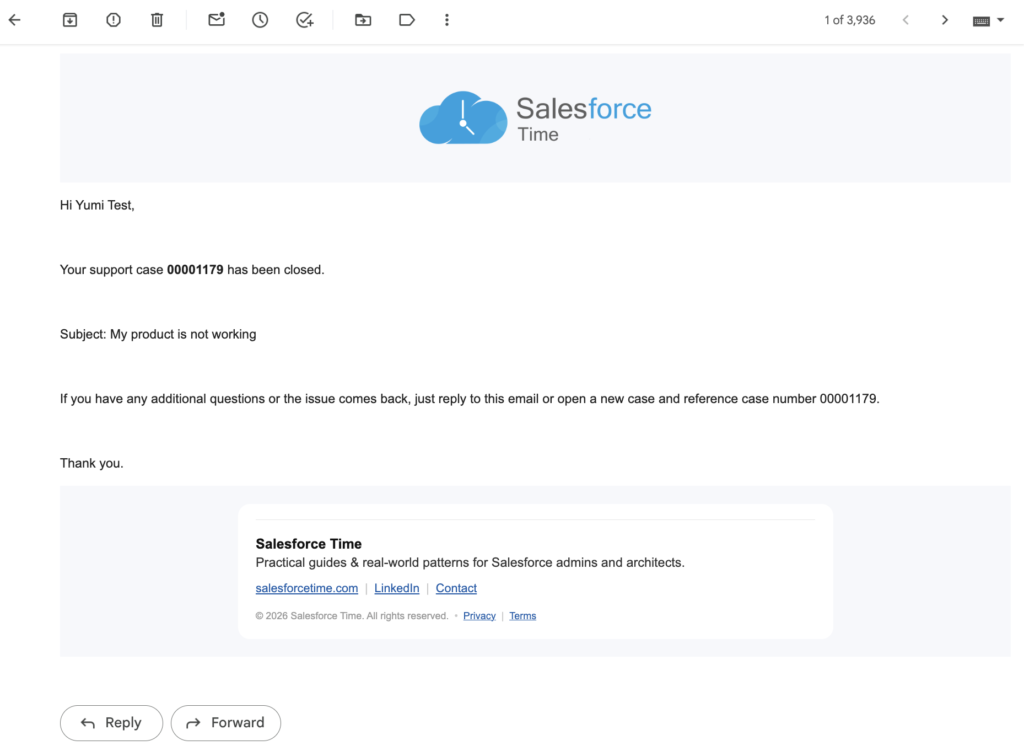
When the Flow runs, the HTML will render, and the recipient will receive a branded email.
Considerations
This approach works only with Enhanced Letterheads. Because you're injecting raw HTML, any images used in the letterhead must be publicly accessible. Otherwise, recipients won't be able to see them. Also, since the header and footer are pasted as plain HTML, any merge fields inside the letterhead won't be evaluated or rendered.
In hebrew we have lots of problems when i use in one letter hebrew letters english letter and numbers .. how can i solve the problem?
I think you can solve this using HTML (both alignment and rtl).
Thanks for the article, is this Enhanced Letterhead Object available in trailhead playground too?
Regards
Yes it is available.