

For years, the standard Screen Flow Data Table was a view only experience. It was great for displaying records, but not for updating them without adding extra screens. With the Salesforce Spring '26 release, that changes. You can now enable inline editing, so users can update fields directly in the Data Table at runtime. Users can also sort columns, making the Data Table more interactive and easier to work with.
How to Inline Edit Records in Flow Data Table
After the Spring '26 release, the Flow Data Table supports inline editing by default, so you do not need to enable anything in Setup. Let's walk through an example and see how to inline edit records directly in a Flow Data Table.
1- Add a Data Table component to your screen and select the source collection. Then add the columns you want to display. When you configure each column, you will see options to allow sorting and inline editing for that column.
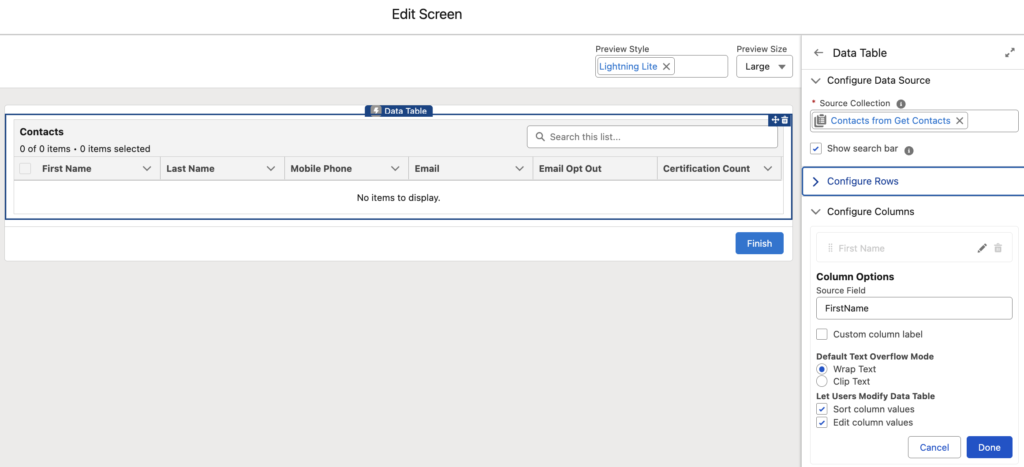
As of Spring '26 release, you can enable inline editing for these field types: text, email, checkbox, phone, number, percent, and currency.
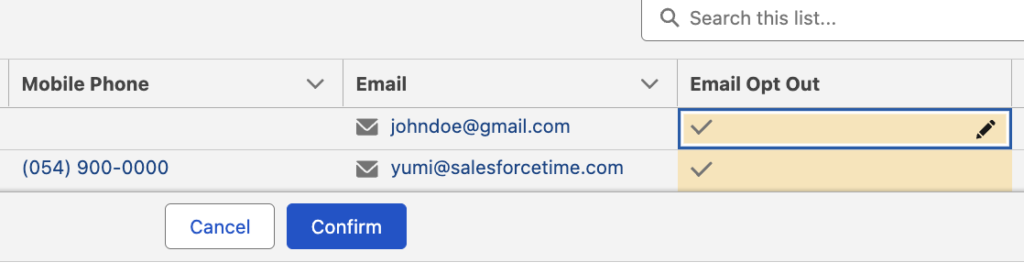
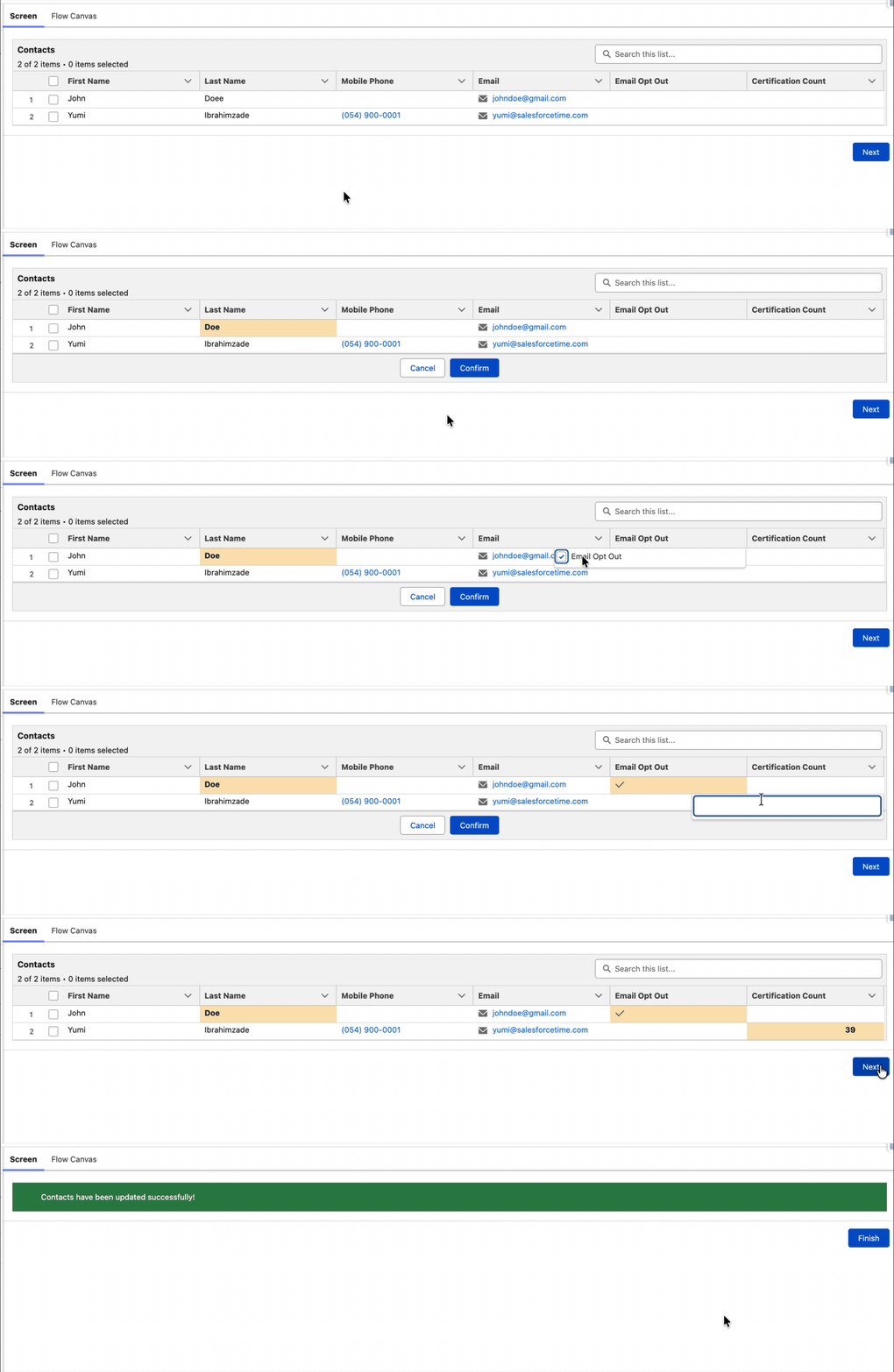
When users edit a field, they should click Confirm to apply the changes, or Cancel to revert to the last confirmed value.
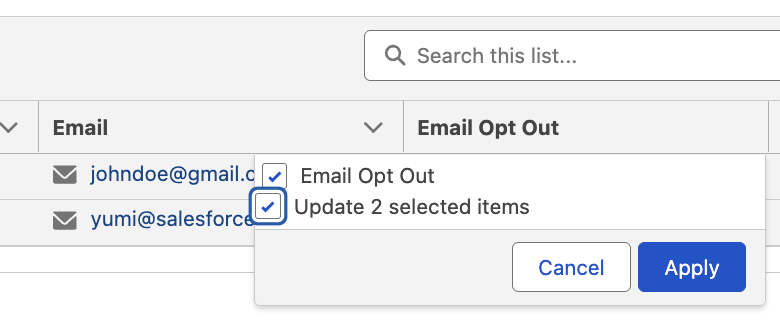
To update multiple rows at once, set Row Selection Mode to Multiple. Then, when users select more than one row, they can apply the same update to all selected records.
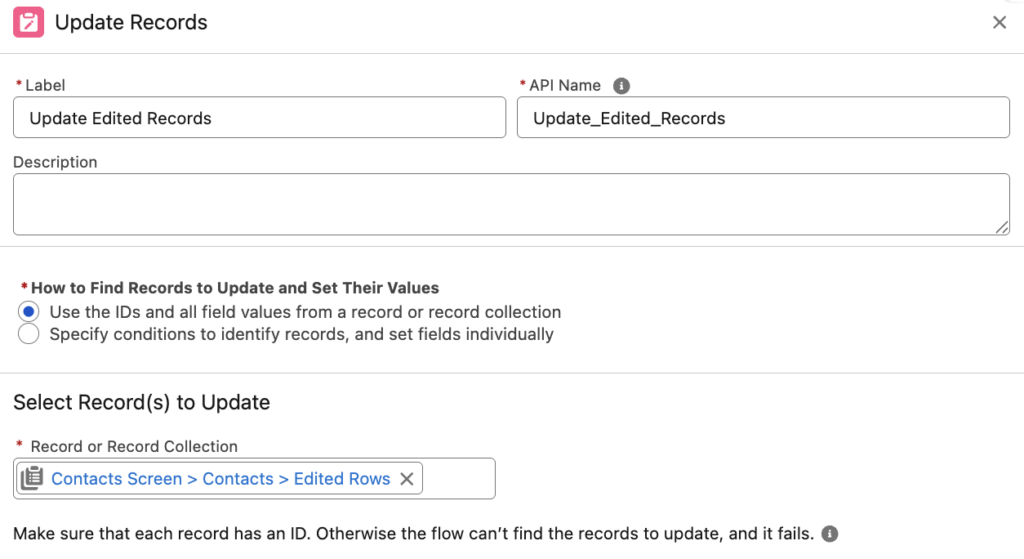
2- Confirming the changes does not really update the records. You still have to use an Update Records element to update the edited records. The Data Table component has a record collection output called Edited Rows. Add an Update Records element and update those records.
Let's see the Flow in action.
Summary
With the Salesforce Spring ’26 release, the standard Screen Flow Data Table takes a big step forward. Instead of using it only to display records, users can now sort columns and use inline editing directly in the table for supported field types like text, email, checkbox, phone, number, percent, and currency. This is clearly just the start, and these capabilities will likely expand and improve in the next releases.
Leave a Reply