
PDF files are still a common requirement in Salesforce processes. For example, quotes/proposals, invoices, or documents you want to share and store in a consistent format. Until now, generating PDF files usually meant rendering a Visualforce page or using a third-party document generation tool. In the Spring '26 release, Salesforce introduced a new Apex capability that lets us generate PDF files directly from Apex, so it's no longer a must to use Visualforce pages.
In this post, you'll find a Flow action that uses Blob.toPdf() to generate PDF files and save them as Salesforce Files (Content Version), optionally attaching them to Salesforce records.
How to Configure the Action
1- Install the action using the installation links below.
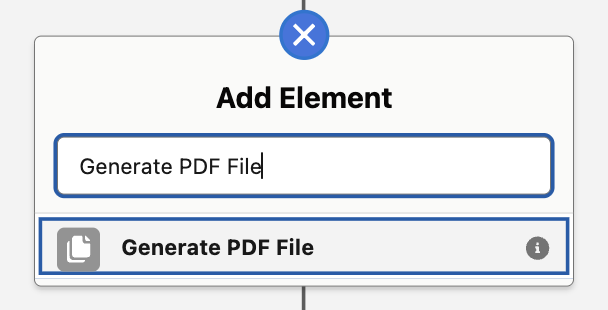
2- Add a new action to your flow and search for "Generate PDF File". This is the name of the action that you installed.
3- This action has 3 input values.
- html: The HTML markup you want to convert into a PDF. This string becomes the actual PDF content (what you'll see when you open the file). This input is required.
- title: The name of the file. This input is required.
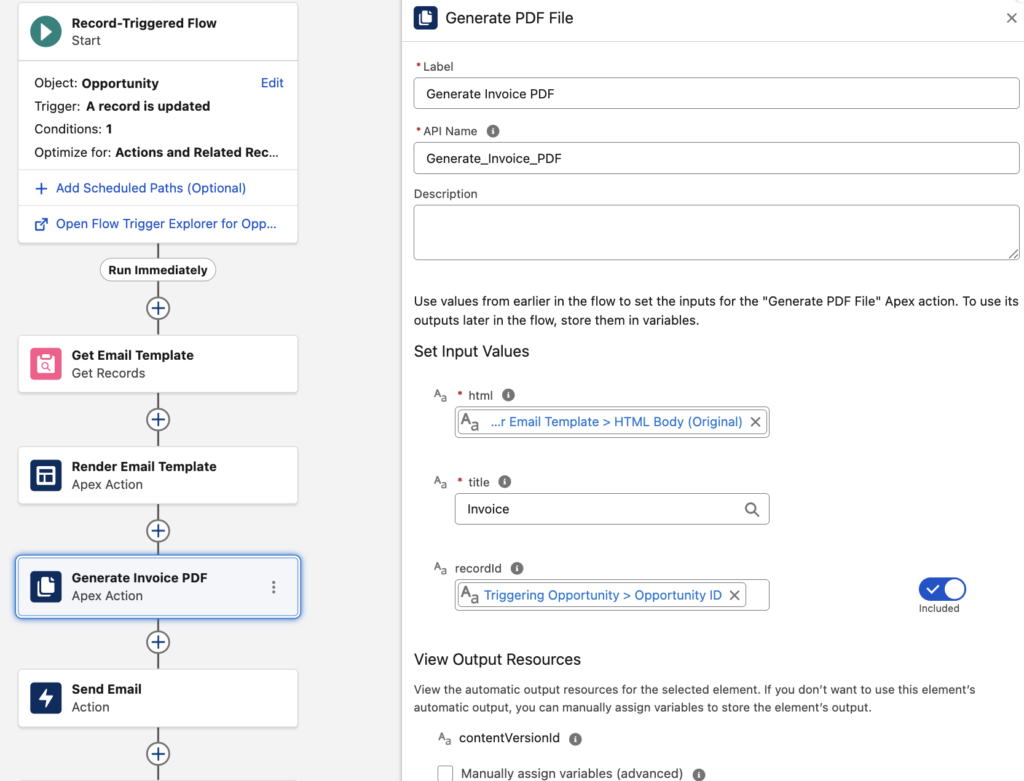
- recordId: The Salesforce record you want to "publish" (attach) the generated file to. If you provide it, the action creates the file under that record in Files (and creates a ContentDocumentLink). If you leave it null, the PDF is still created as a file, but it won't be linked to any record automatically. This input is optional.
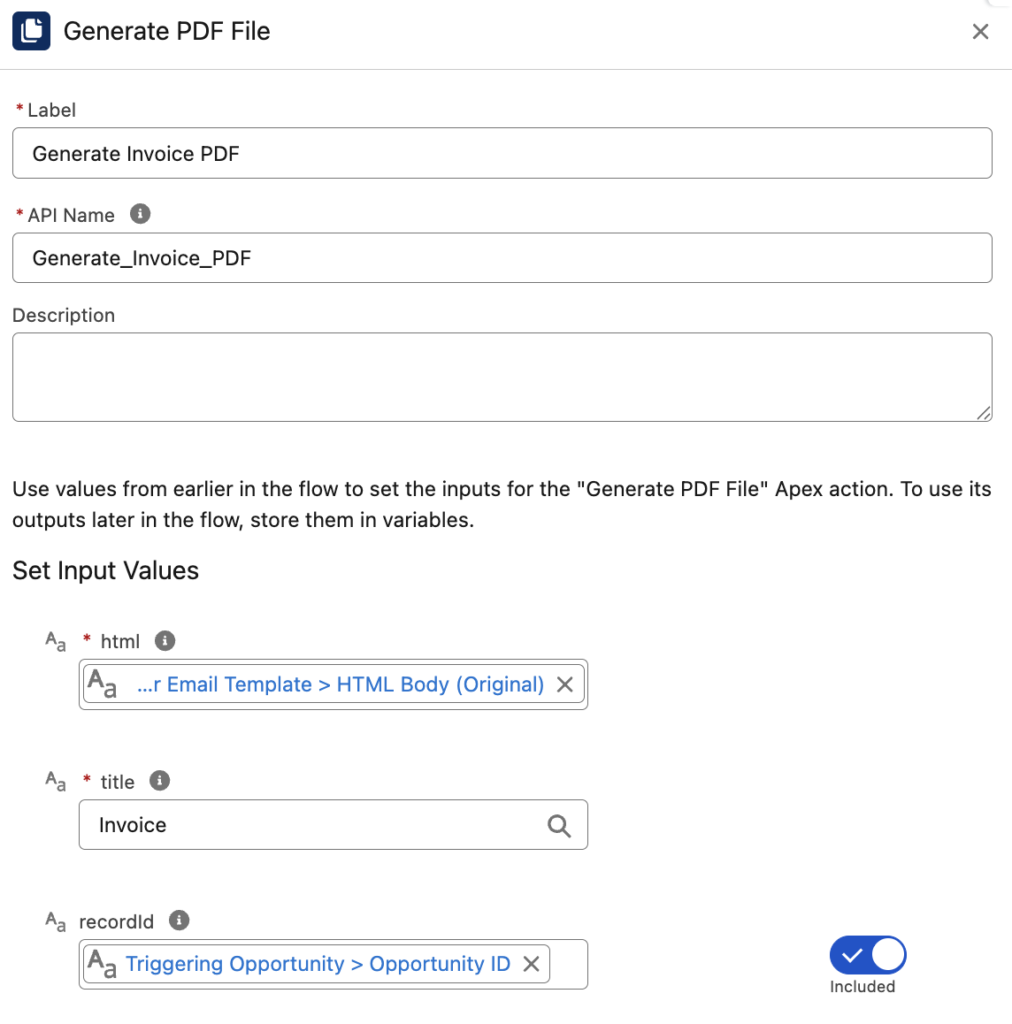
As an output, it returns the ContentVersion record Id, so you can use a Get Records element to retrieve the file and use it in your Flow.
Using Email Templates to Generate PDF Files in Flow
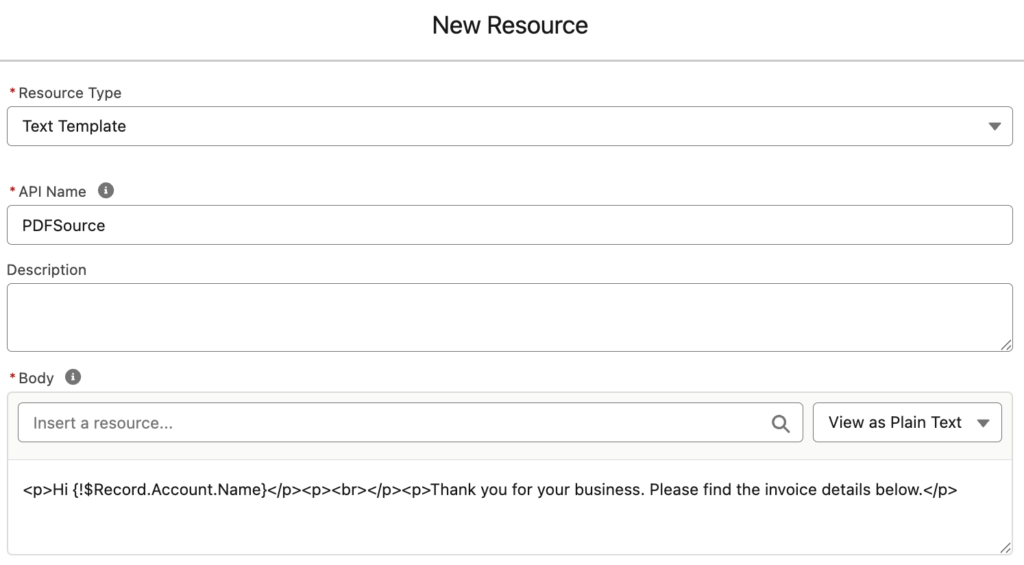
To generate a PDF file in Flow, you need to pass an HTML string into this action. The simplest way is to build that HTML inside Flow using a Text Template resource.
If you want to design a reusable, polished PDF layout (for example, an invoice template), you can create it as an Email Template instead. Since the action still requires an HTML string, you first need to render the email template so Salesforce replaces the merge fields with real values. You can do that with the Render Email Template action, and then pass the rendered HTML output into the action.
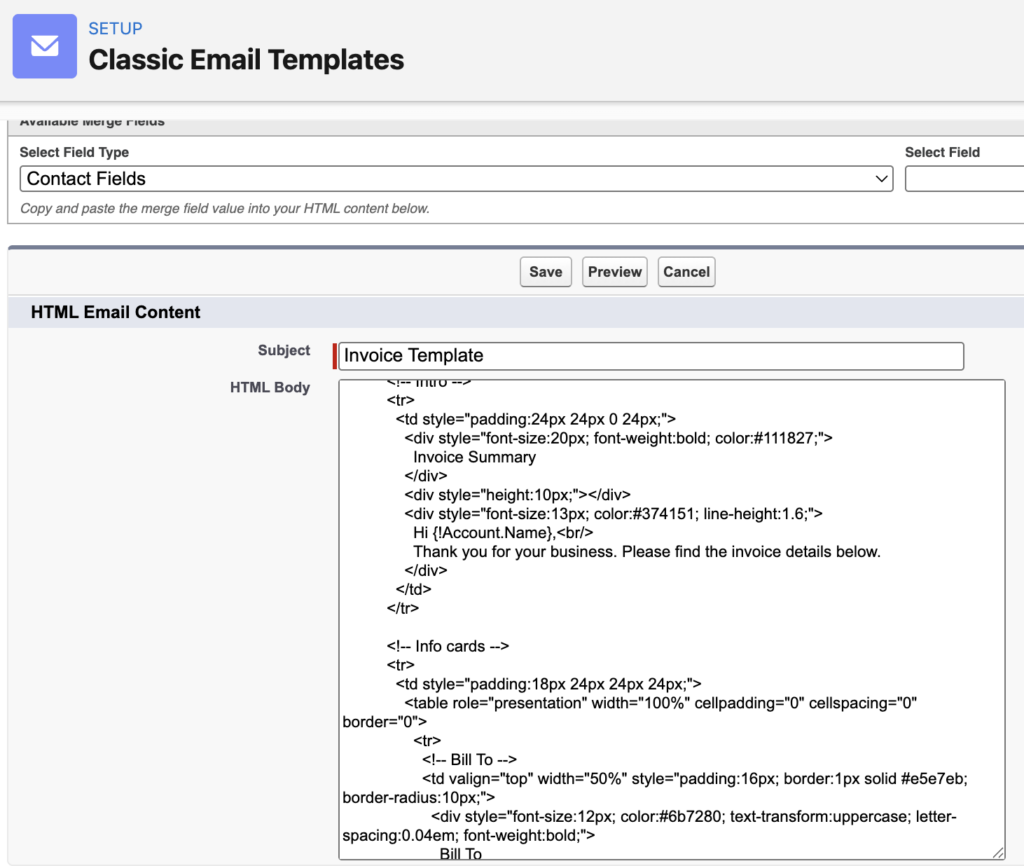
For example, let's assume that we have a classic email template to generate invoice files (it can be a lightning email template too).
Here's a record-triggered flow that runs when an Opportunity becomes Closed Won. It retrieves the email template, renders it (so merge fields are populated), generates a PDF file from the rendered HTML, and then emails it as an attachment.
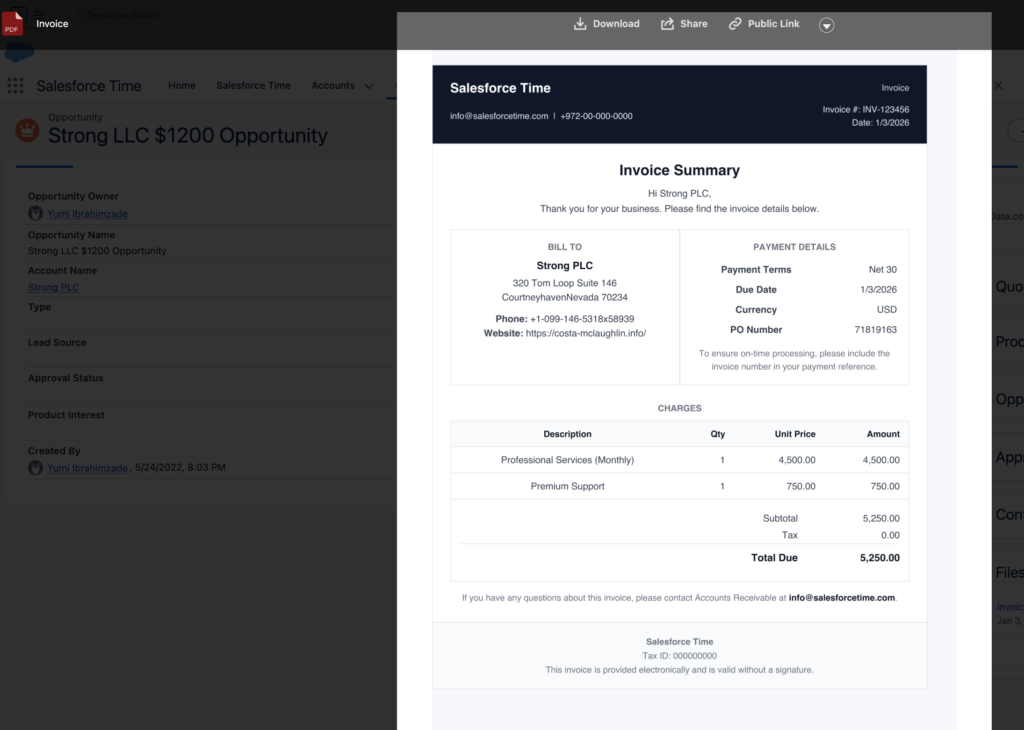
Here's the PDF file created under the Opportunity record. Everything happens automatically, no need to click a button.
Installation Links
Use this link to install in production or developer edition environments.
Use this link to install in sandbox environments.
Any idea why it doesn't work in Hebrew email tempaltes?
Sometimes you have to add a direction tag dir="ltr" to the html for it to convert properly to PDF
Wow...weeks and months of uphill battles with omnistudio seem to be a thing of the past...thank God 🙂
Hi Yumi,
I am a big fan of your page as you already know. I tried installing this action but I got blocked with the below error.
This package can’t be installed.
There are problems that prevent this package from being installed.
Mismatching Versions
The AppExchange Application or component you have selected is not yet available on your instance of salesforce.com. Please check back in a few days to retry the installation. Press the back button of your browser now and bookmark the AppExchange Directory page so that you can find it later.
Would you happen to know how I can install this action aside from the link you provided above.
Hi Dipo,
This package requires Spring '26 release. So, you can install it in the sandbox for now.
Hi thanks for sharing! this is good
but i couldn’t install the package in my salesforce trailhead any solution
can you put the apex classes in github please
Hi, this package depends on Spring '26 release.
Hi Yumi,
Many thanks for the package, does it works with Lightning Email Builder ? or we need to use the old one ?
Yes it does.
Hello Yumi,
I have an image in my lightning email template however when running the PDF Generator it gives me the following error:
An Apex error occurred: System.InvalidParameterValueException: An error occurred while parsing the input string.
When I remove the image it works perfectly.
I've checked that I'm on Spring 26 release.
Wondering if you have any ideas here Yumi on how I can fix to include the image?
Thank you